Case Study: Assignment Library Search

NoRedInk's Assignment Library is vast, containing thousands of pieces of content. This content is heterogeneous, coming in several different forms and organized in several different ways to meet teachers where their needs are. That organization is vital to making the Assignment Library a critical and useful part of the NoRedInk experience, but not all users have the time or inclination to browse through it all. That's where Search comes in. Search is both the universal fallback for all users and the first choice for some users on any platform.

However, NoRedInk's search function left much to be desired. It was slow, buggy, and most crucially, did not return all of our content, reflecting badly on the platform and hobbling its utility. These facts alone were unfortunately not enough to get Search prioritized for an upgrade. However, a larger company goal to increase the assigning rates of assignments teaching writing and critical thinking skills (versus "mere" grammar skills) eventually came around and provided the opportunity we needed to not only strive to reach a business goal but improve the experience for our users.

Goals of the Project

The overarching metric we wanted to increase, per company objectives, was the number of WACTS (writing and critical thinking skills) assignments created per teacher. We'd do this by prioritizing writing in the Search experience and ensuring that teachers had a good Search experience that provided them with the relevant content they were looking for. We also set some secondary metrics we were hoping to move:

  • Writing conversion per search session
  • Overall assignment conversion
  • Adoption of search among AL users

Qualtitatively, we wanted teacher expectations for Search to be met: "Show me the most relevant, highest‑leverage content first." Our current Search experience violated this routinely.

Problems to be Solved

To achieve those goals, we needed to articulate exactly what was wrong with our current Search experience. We found that Search accounted for 21% of Assignment Library sessions, but that only 6% of Search sessions converted to writing assignments. Teachers searching for grammar terms (which were our most common queries) were not shown relevant related writing assignments even when they existed. Some of the key issues we found with the existing search experience included:

  • Results were unweighted and always displayed alphabetically.
  • Writing content (Quick Writes, Guided Drafts) appeared last or not at all.
  • Individual writing prompts were not indexed.
  • Long, unsortable, unfaceted result lists forced teachers to sift through irrelevant items before finding anything usable.
  • Search loading took 5–10 seconds due to frontend execution.
  • Safari users (15% of traffic) could not use search at all due to browser incompatibility.

The net effect was that teachers searching for writing often assumed we didn’t have what they needed. This was a terrible experience for new users wanting to see what we had to offer, veteran users trying to find a specific piece of content, and NoRedInk's overall wish to be seen as more than a grammar tool.

Plan of Attack

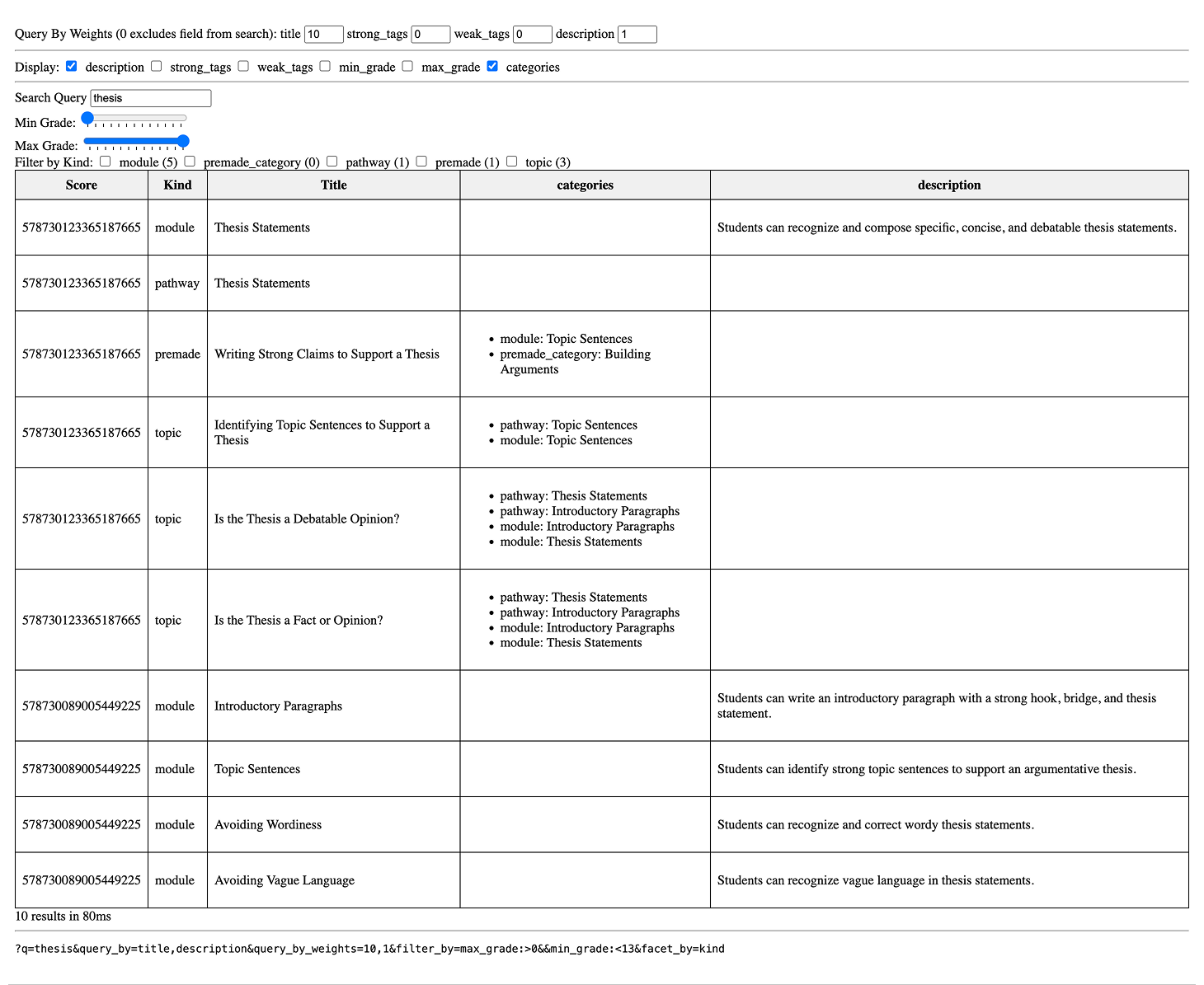
The process to concretely improve the Search experience ended up touching on engineering, information architecture, user experience, and user interface design. The first step was to migrate from a slow frontend-based Search system to a backend system. This eliminated performance issues, enabled full‑library indexing, and unlocked relevance tuning.

With a new, highly configurable, intelligent search system in place, we created a tiered weighting framework that ensured more relevant, more writing-focused content to be returned. In this model, high‑leverage writing modules received additional weight, synonym groups and manual overrides for ambiguous terms honored teacher intent, and exact matches always outranked fuzzy matches.

The new backend framework allowed us to index individual writing prompts for the first time, opening up vast new swathes of writing content to the Search user. In addition, we audited and reorganized tags across writing categories to ensure that all relevant writing content was indexed and that cross‑listed content rolled up to the most relevant parent.

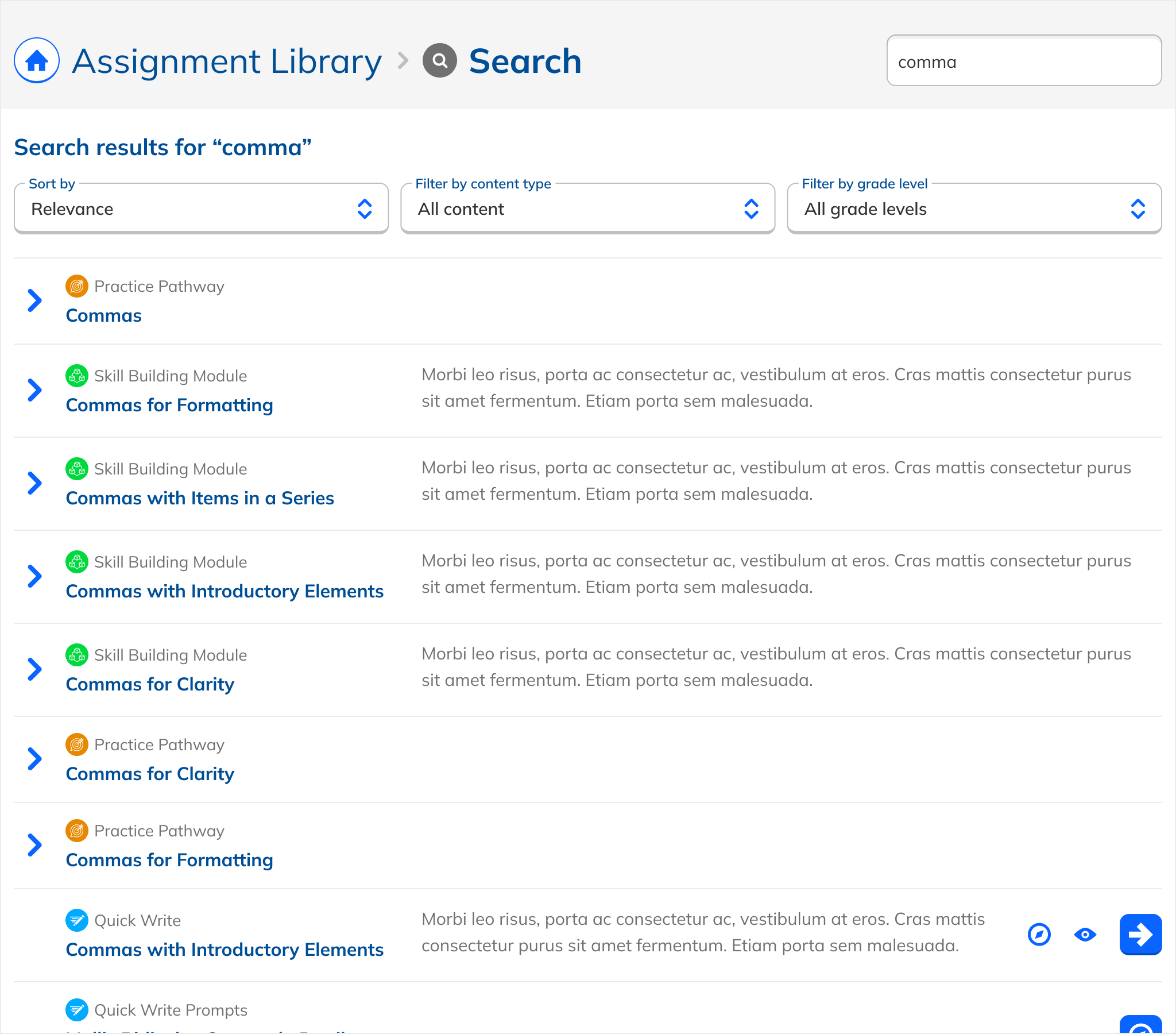
Finally, we redesigned the user interface and experience for Search to offer a simple listing of clearly labeled, consistently formatted, easily filterable results with a low learning curve and simple operation.

Evolution of the Design

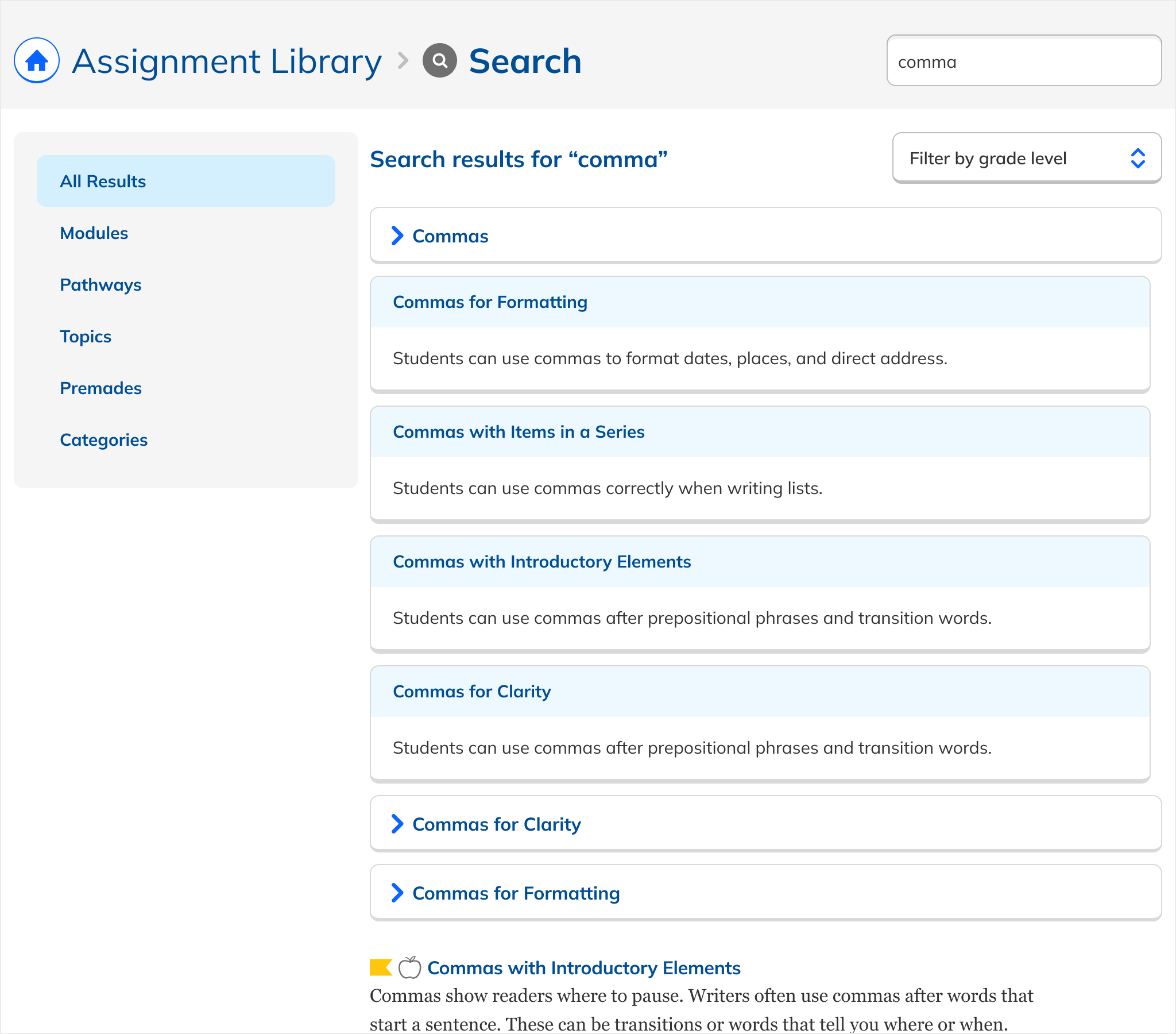
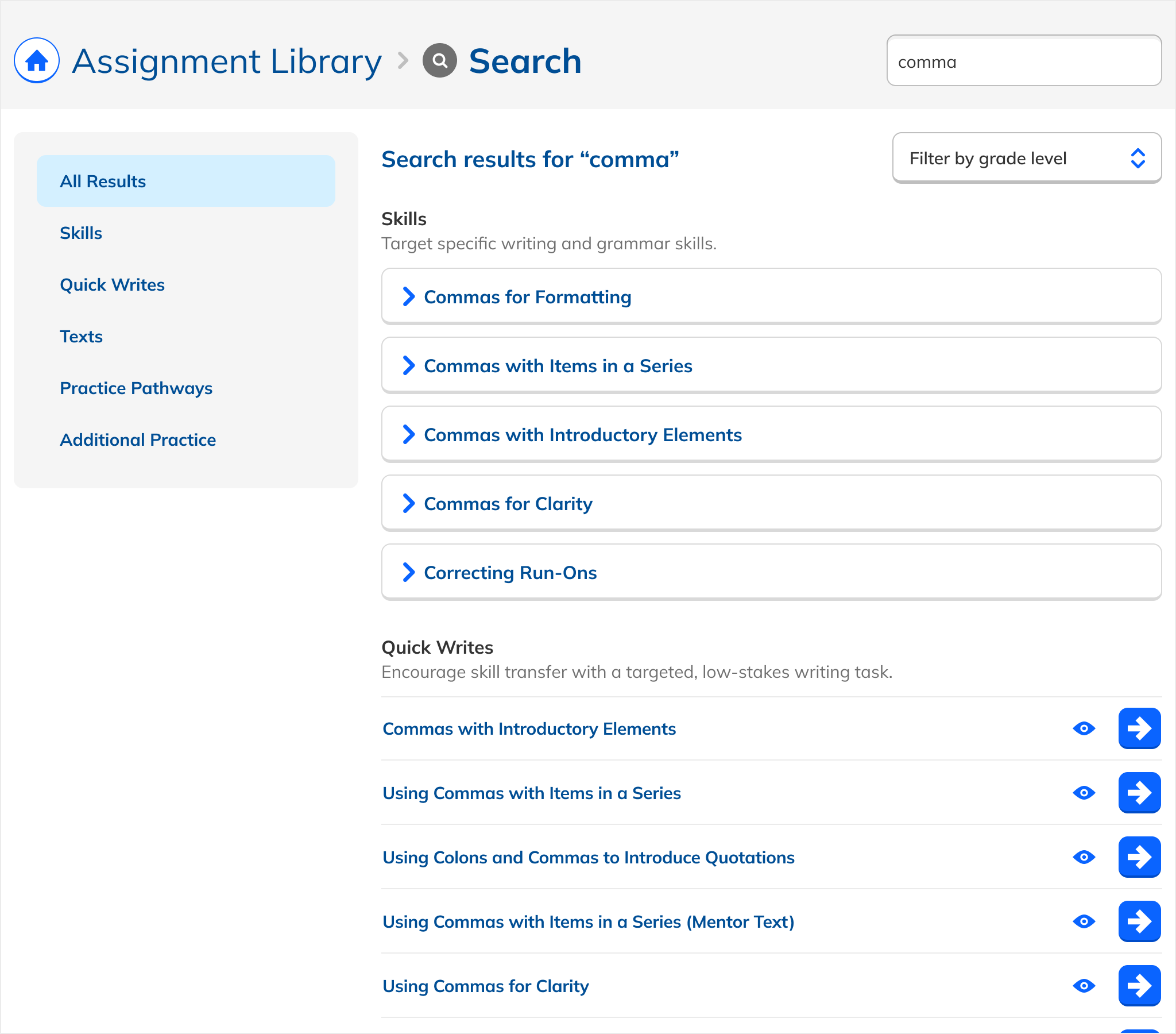
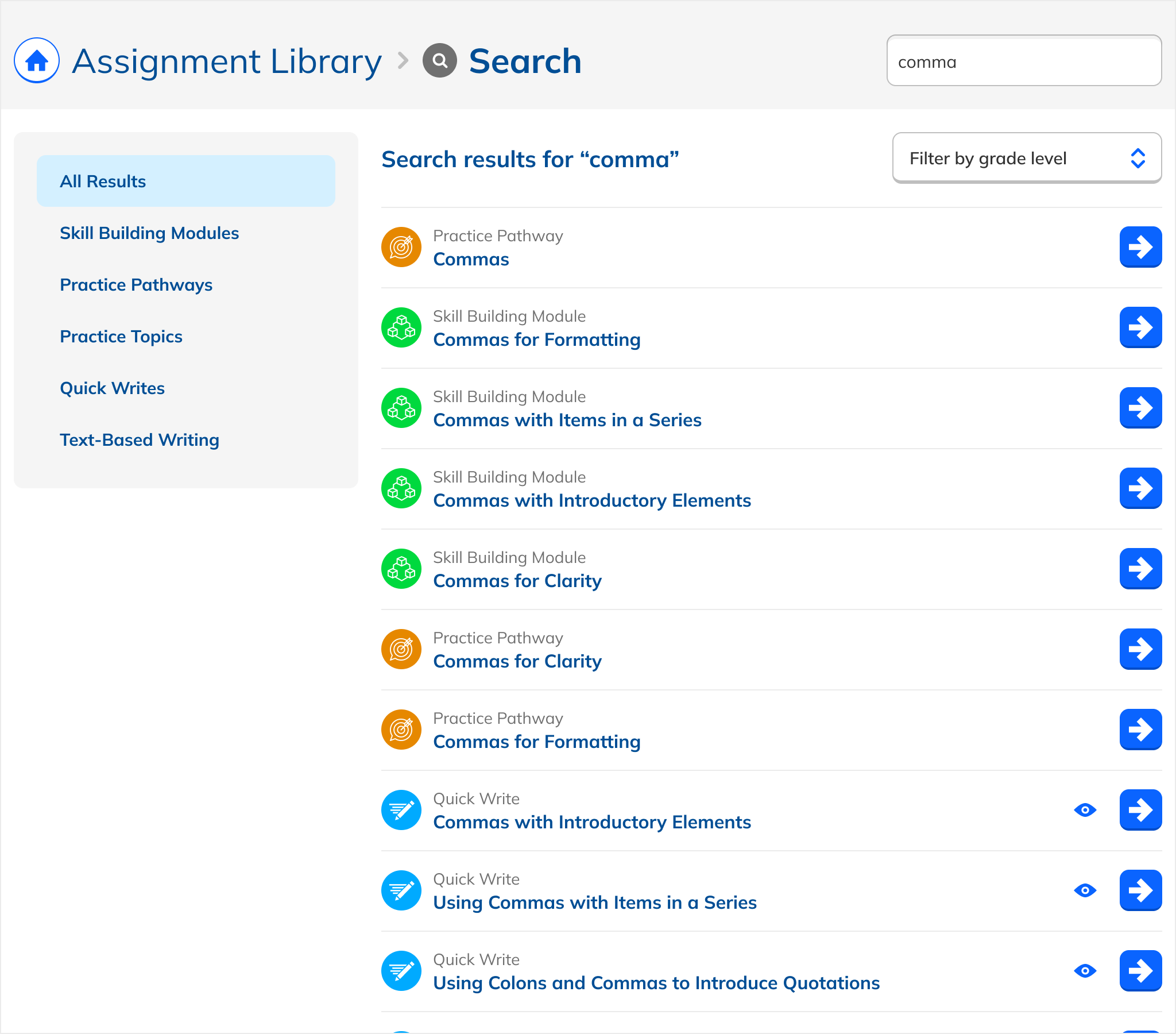
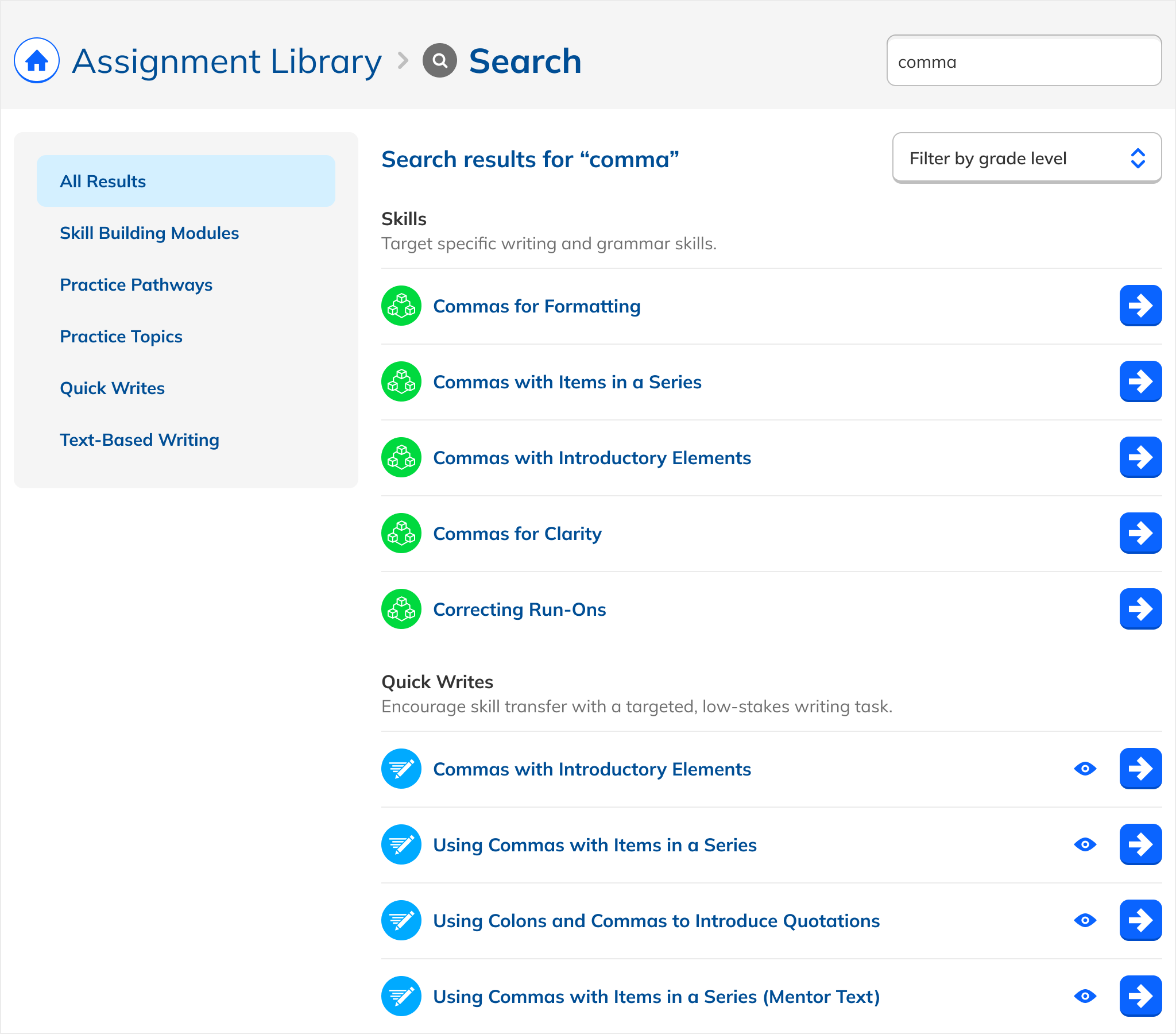
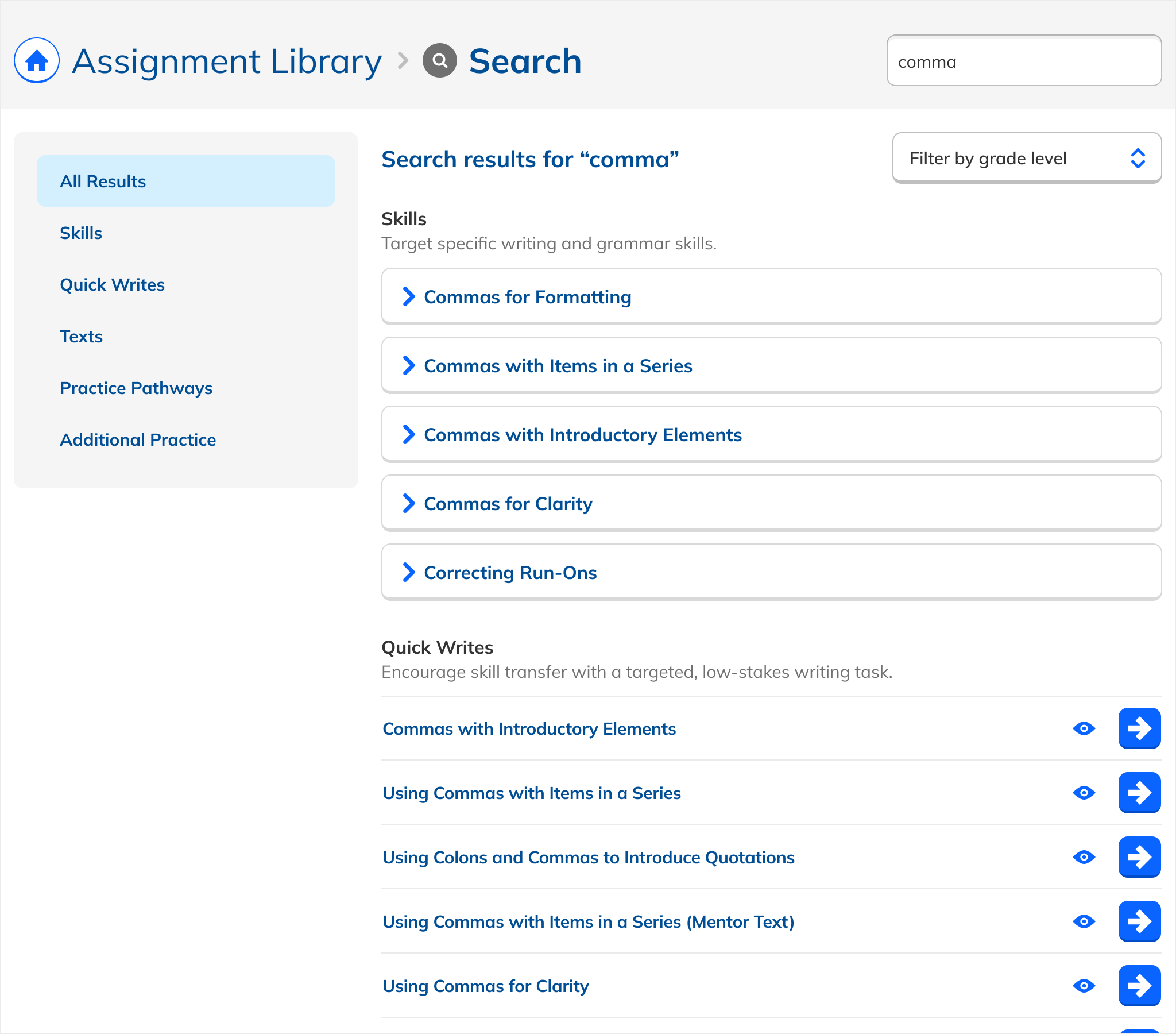
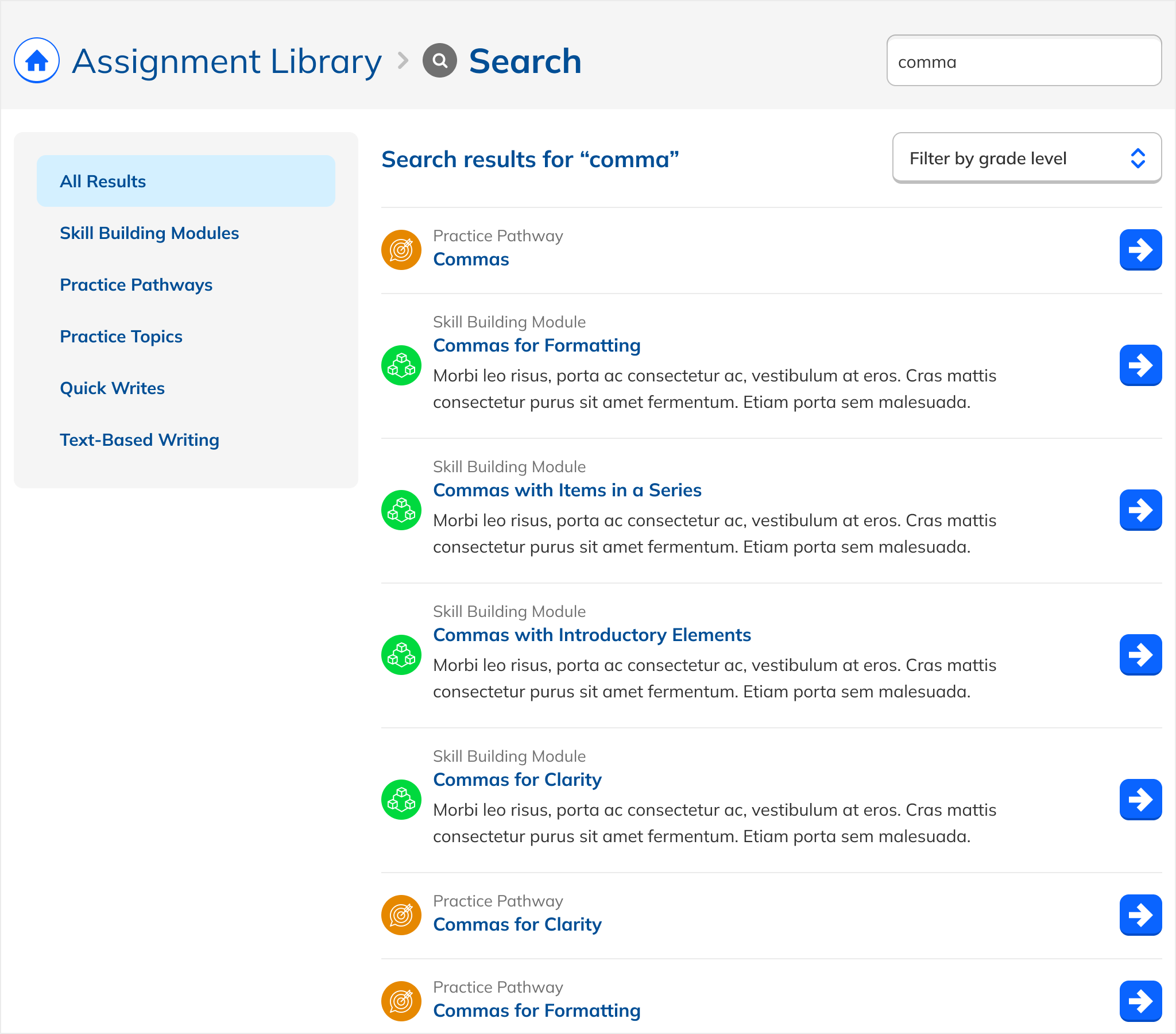
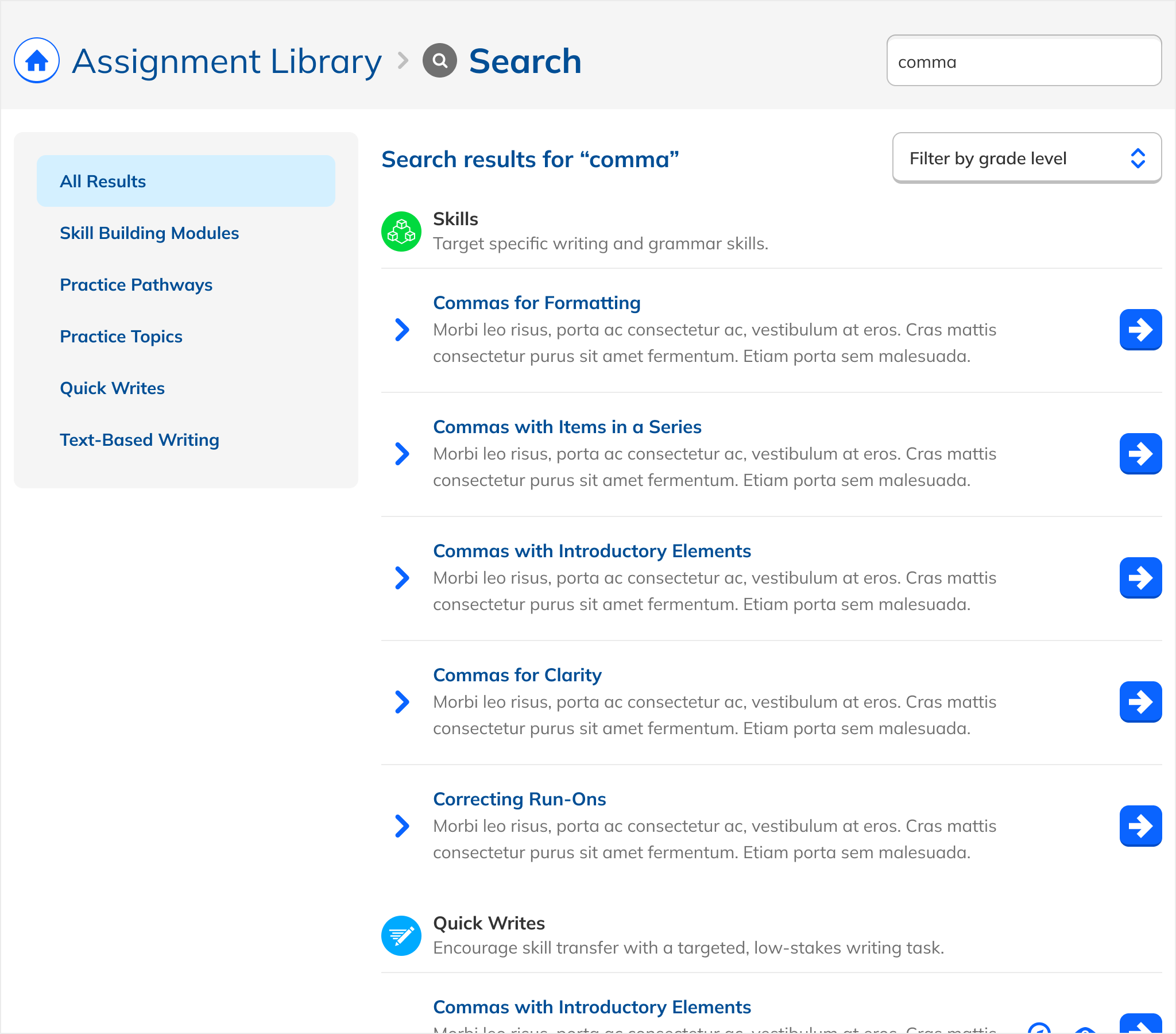
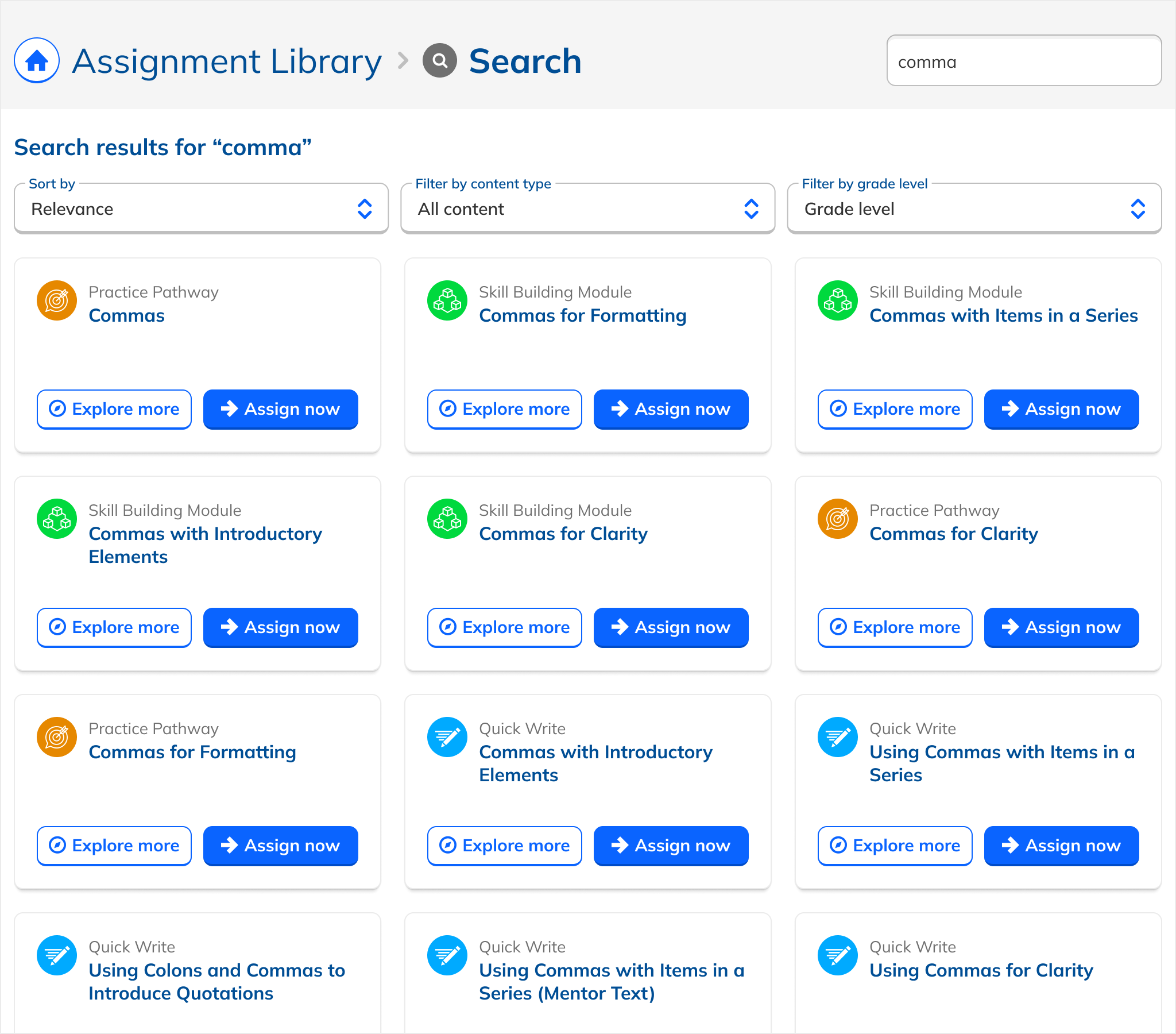
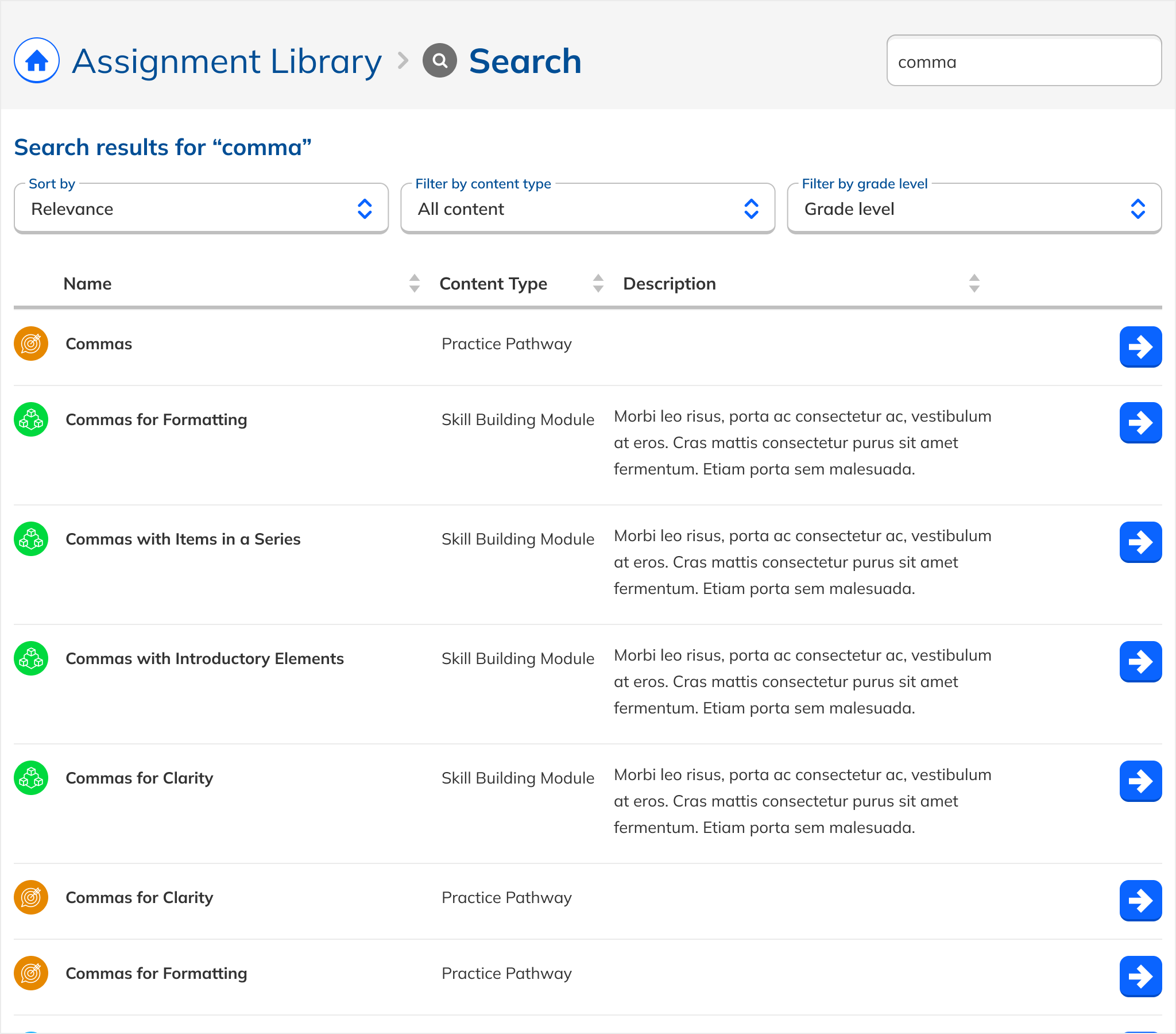
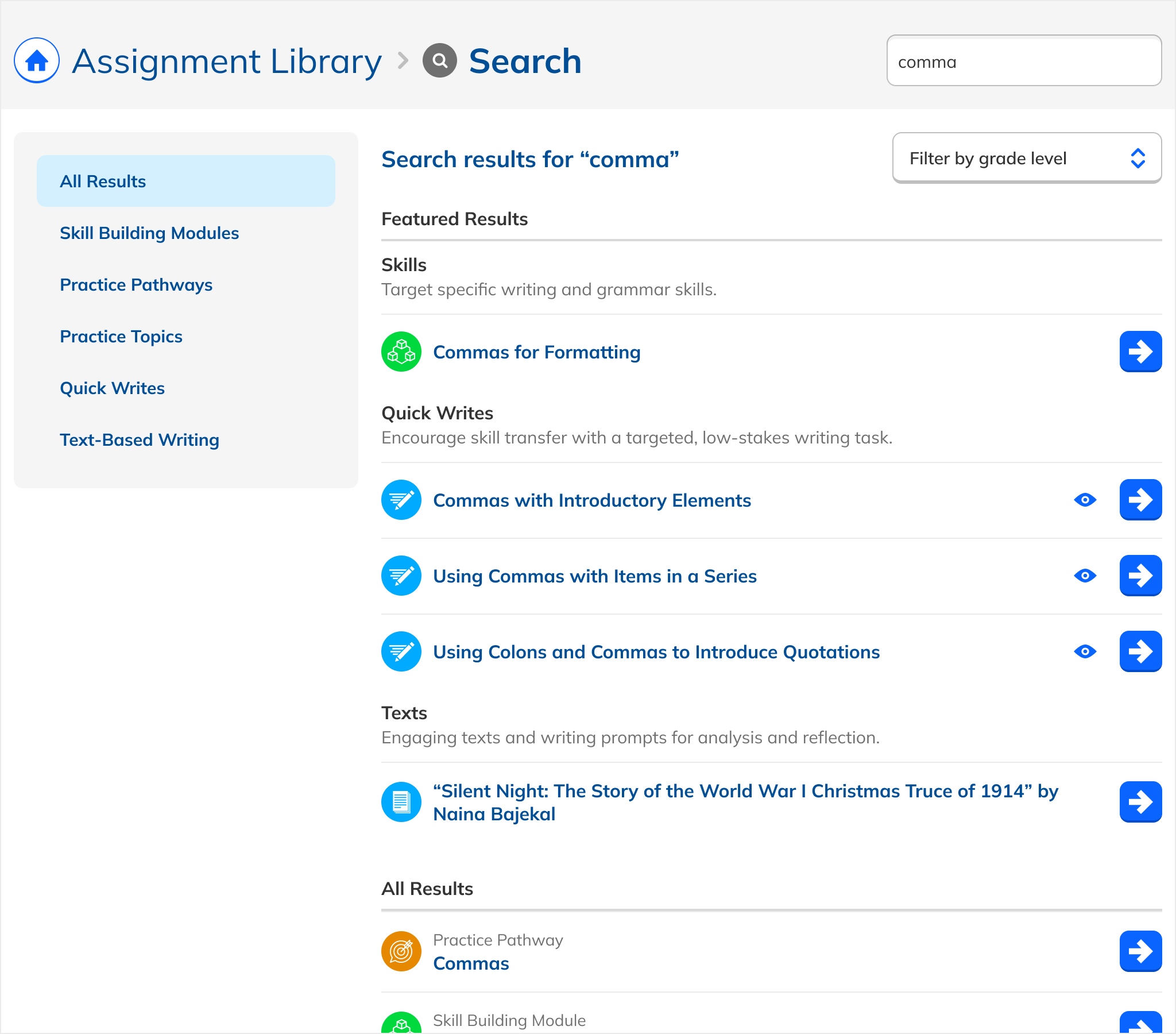
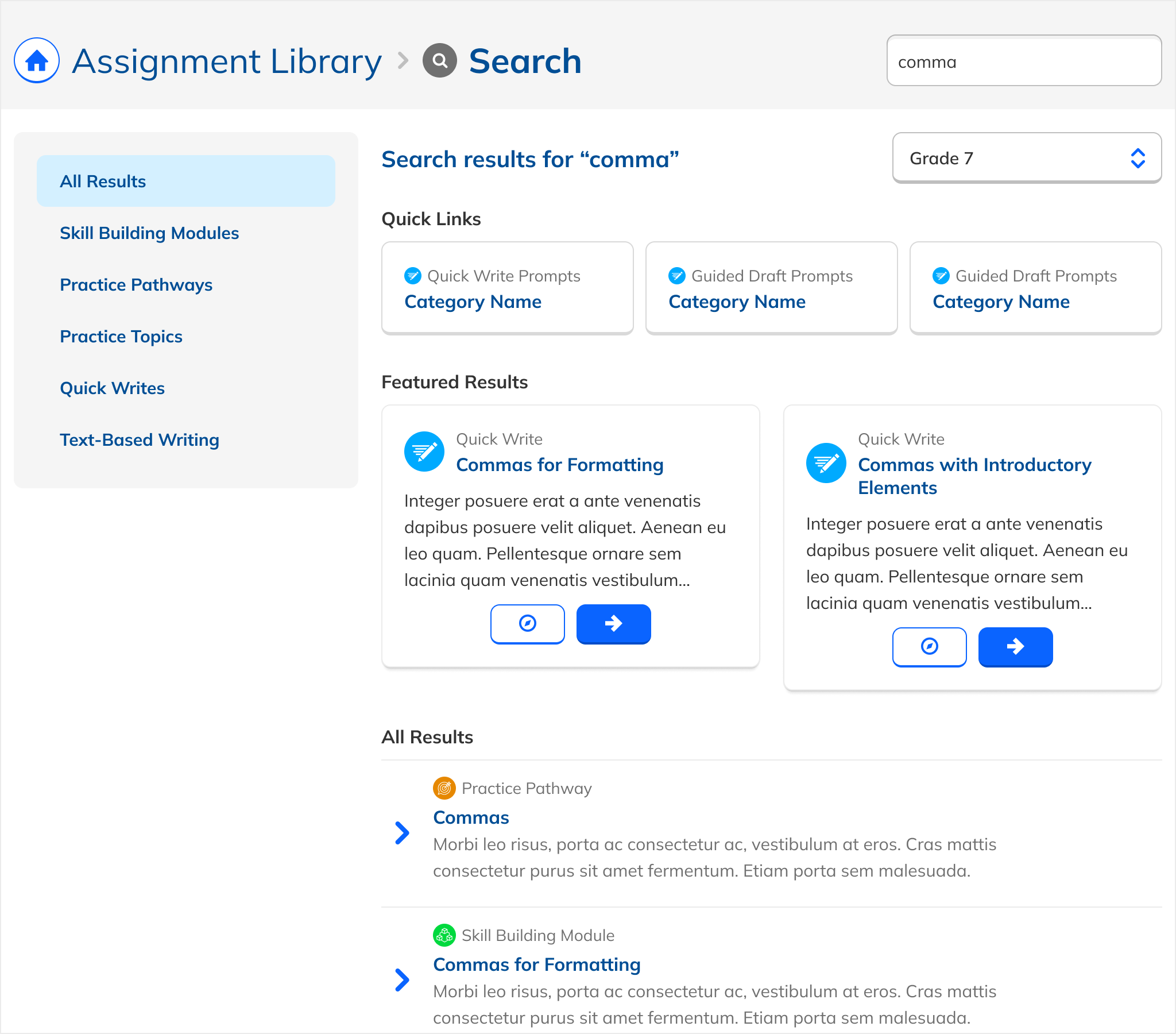
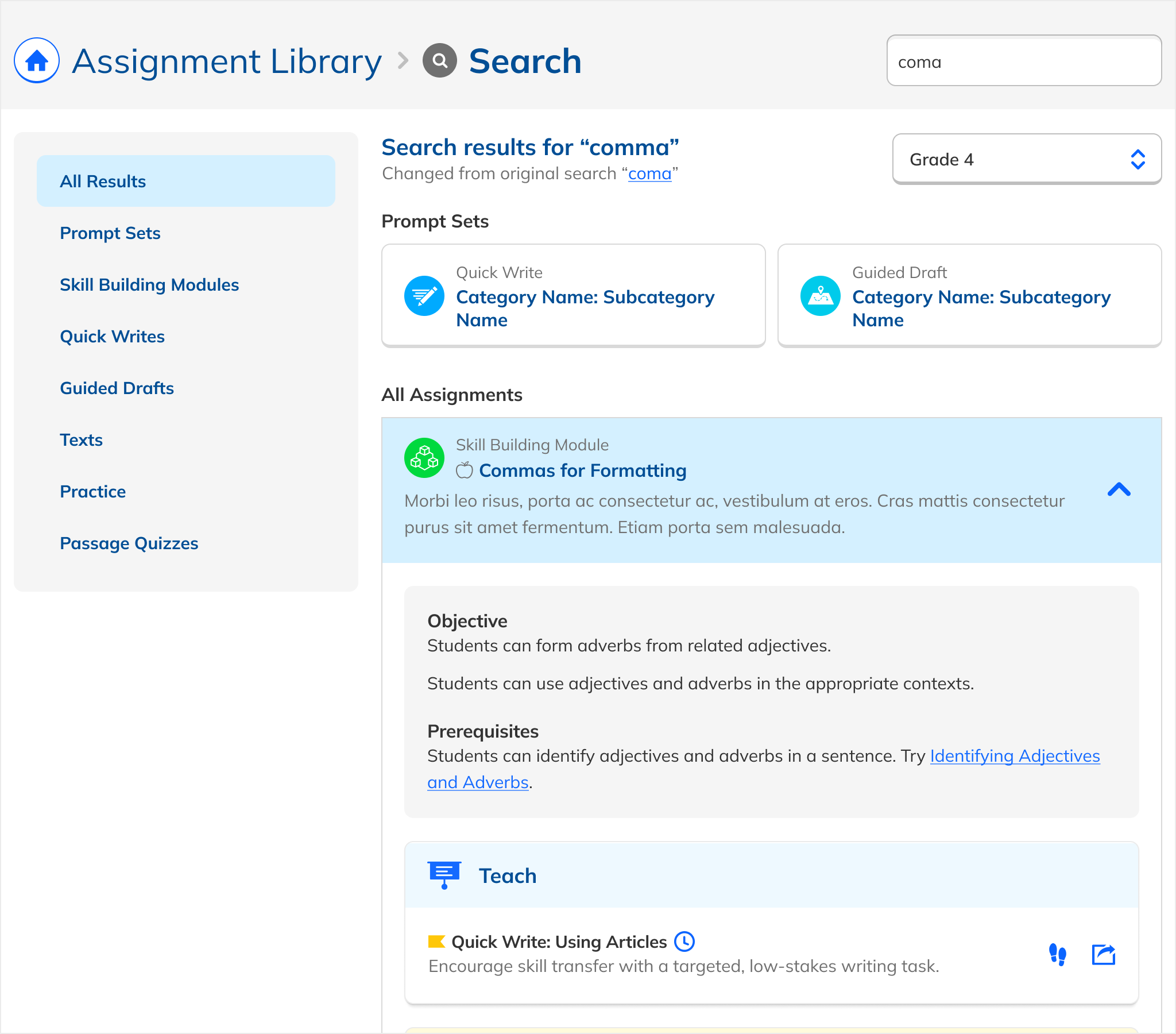
Over the course of the project, the design underwent considerable evolution, with nearly 30 different iterations. We iterated in tight coupling with results from our working prototype, as we adjusted parameters, weights, and tags. Early iterations took a naive approach, simply listing each kind of content in the Assignment Library as it appears in its original location. Concurrently, I experimented with whether content types should be grouped together, or whether a flat list made more sense.

I also tried out the use of iconography as well as explicit headings and sections to help distinguish between different kinds of content. Another visual experimentation was how much descriptive info to include per each item versus just the name. I also tried out alternate layout options beyond a list, include grid-like and tabular options.

A particular point we went back and forth on was whether to artificially draw out writing results to give them greater visual prominence. After design and implementation iteration, we ultimately decided not to. Presenting the most relevant results to teachers remained our north star, and we felt that we could serve our business goals at the same time with proper weighting and tagging.

E Pluribus Unum

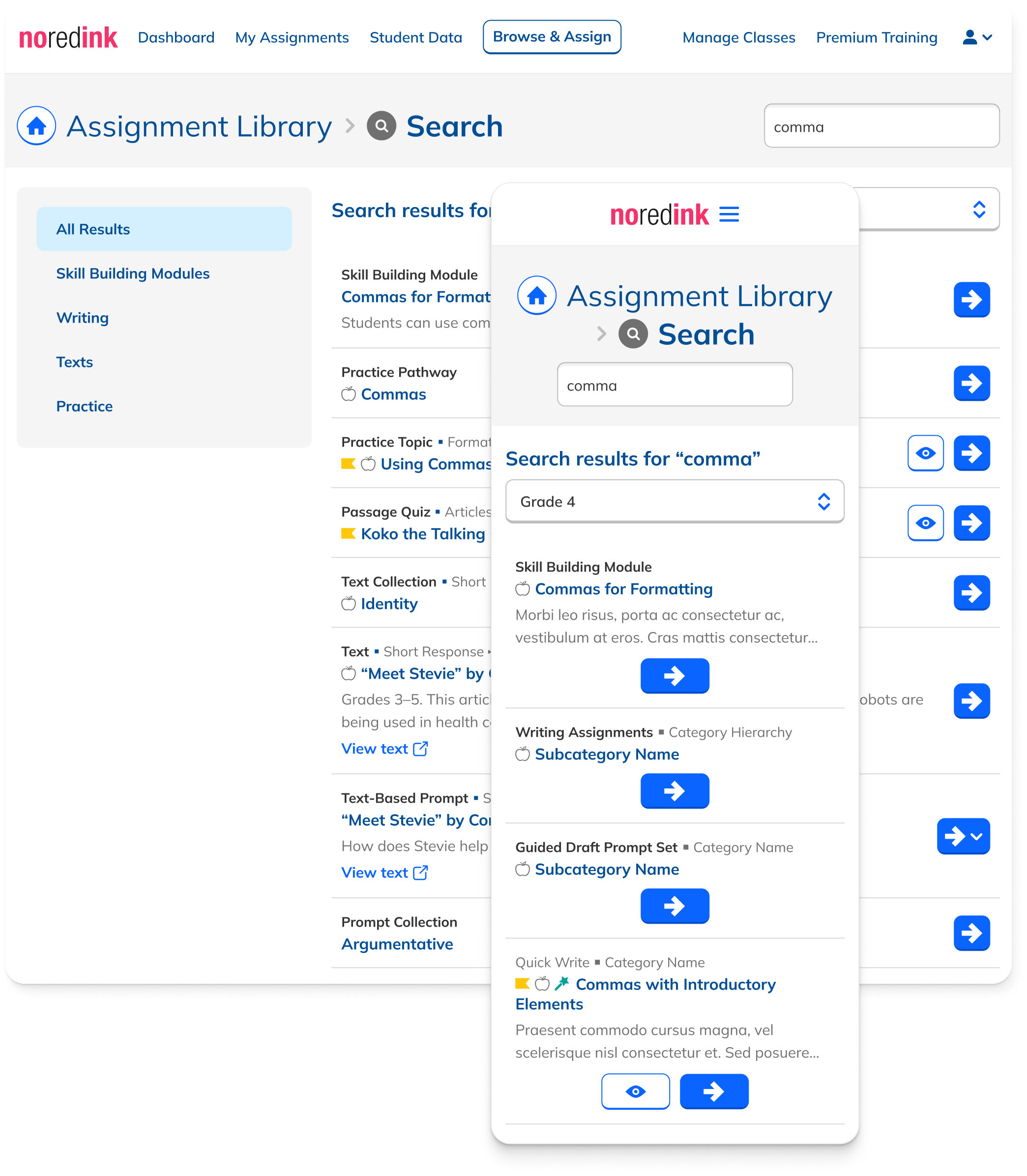
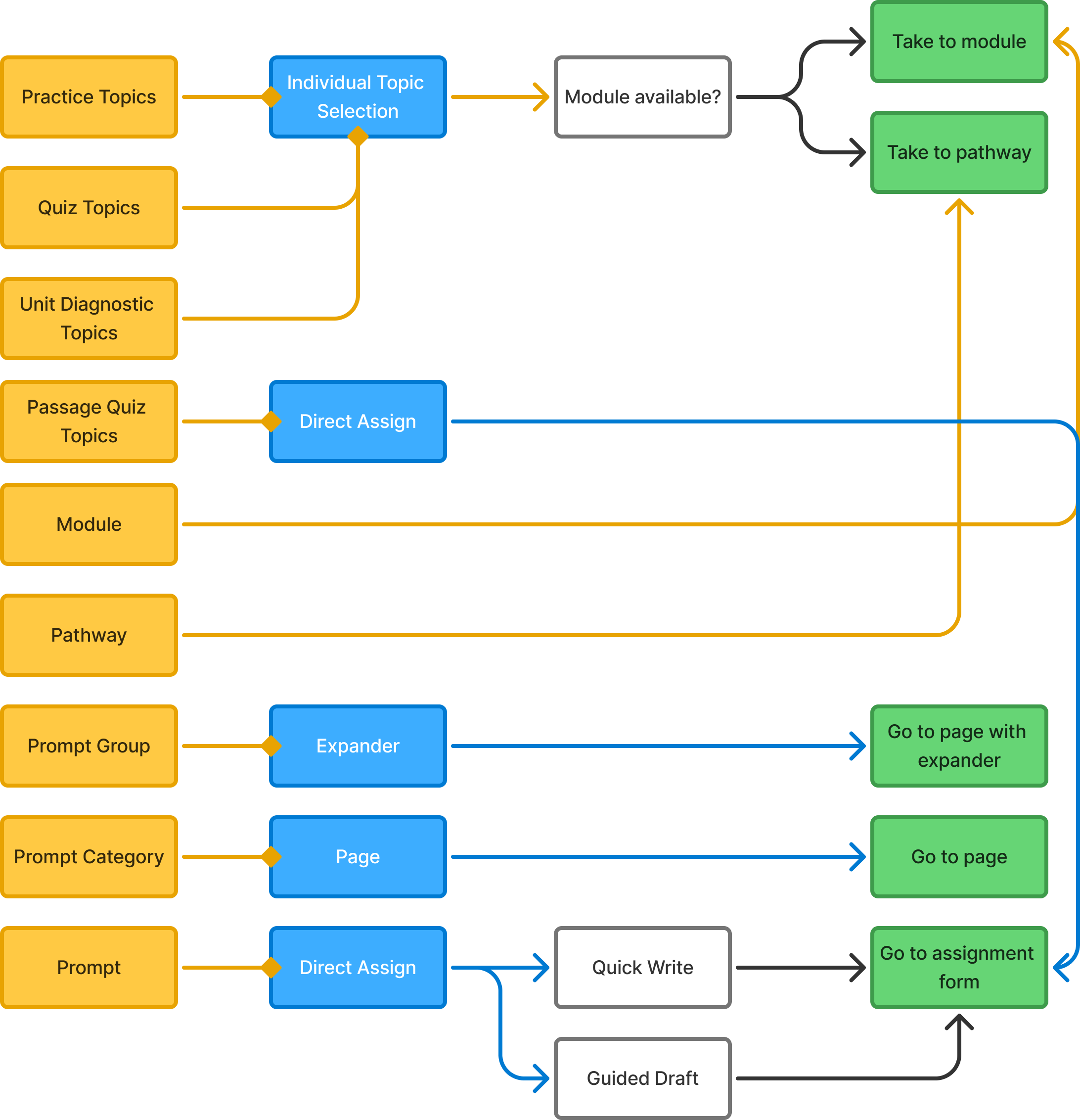
A major element of the design process was determining how to display the heterogenous content that existed in the Assignment Library and that Search could return. Practice Topics in the Assignment Library are usually selected via checkbox, and multiple Topics can be checked to form an assignment of different, potentially unrelated Topics. This paradigm also exists for the same Topics used in Quiz and Unit Diagnostic assignments.

Traditionally on the site, topics had been and continued to be grouped in what we called Pathways. More recently, they had been broken out of Pathways and placed into a newer structure called Modules, where they existed alongside our writing prompts, grouped for relevancy. These Pathways and Modules were themselves useful search results in addition to being the containers for Topics and Prompts.

In contrast to Topics, the pattern for our Writing Prompts was quite different, in that each Prompt is an assignment unto itself, and can't be combined with anything else. Choosing a Prompt means entering a one-way flow to customize and then assign that Prompt. This was true of our Passage Quizzes as well, which confusingly are actually Topics that can only be assigned as Quizzes but are also used for Practice.

In addition to Topics and Prompts, Search was also returning what we called Prompt Groups which often amounted to collections of Prompts concerning a single work, and whole categories of prompts and subategories that housed like content. These were natively presented in the Assignment Library as in-place expanders and independent pages, respectively.

To make a long story less long, I iterated on the design and function of these content types in the context of Search, moving from a place where each type of content looked and functioned more or less as it did in its native form in the Assignment Library, to one of a greater and greater uniformity, where eventually every content type appeared in the same formit and had a single action that took the user to a new page. This greatly lowered the cognitive lift of understanding and using the page and put the emphasis squarely on the content rather than its logistics.

Release and Results

The project required tight collaboration across teams, and a thorough quality assurance phase across multiple teams and users. After partnering with Curriculum and Engineering to validate results across over twenty search archetypes, import tag data, and implement last minute overrides, we performed dogfooding with internal teams, followed by a limited release to 10% of traffic, culminating in a wide release.

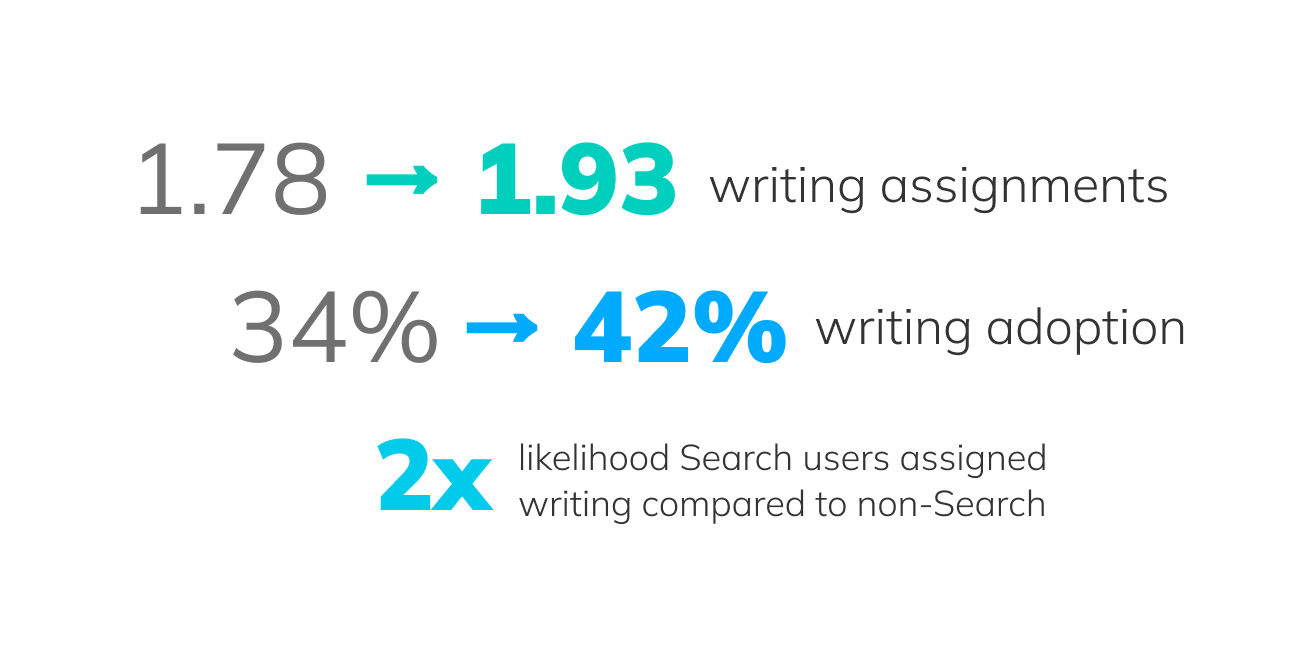
As enough data came in, we found encouraging results for our primary metric. Teachers who used Search assigned 1.93 WACTS assignments, versus the baseline of 1.78. Power user teachers who used Search 10+ times) assigned 2.42 (versus 2.32 baseline) assignments. In addition, teachers who used Search were nearly twice as likely to assign writing compared to those who didn’t. This was a 13.5% year‑over‑year increase (1.78 with Search the previous year).

Our secondary metrics showed more modest gains, with one exception. Writing and overall conversion were essentially unchanged but adoption increased from 34% to 42% (a 23% increase).

The lift in our numbers came primarily from more teachers using Search to begin with and not just because of the improved results. Grammar remained the dominant search behavior, but better surfacing writing drove incremental gains.

Conclusions

This project transformed a slow, unprioritized, and often misleading search experience into a fast, structured, writing‑forward tool. The project demonstrated how technical, organizational, and experiential improvements can shift teacher behavior. The improvements position NoRedInk to continue evolving toward more intelligent, flexible, and writing‑centered search experiences.

However, one feature alone can't totally shift user behavior and attitudes. The gains we saw were meaningful, but incremental. Teachers continue to think of NoRedInk as a grammar tool, and continuing to shift that perception is beyond the scope of any one project. However, I am proud of my work and the team's work on this project above any particular metric, as it meaningfully improved the NoRedInk experience for all users and use cases, resoundingly fulfilling our unofficial qualitive metric of "Show me the most relevant, highest‑leverage content first."