As the LLM revolution started reverberating across the world, NoRedInk was in an interesting position. It had no prior experience with AI or machine learning, but its whole reason for being, teaching English Language Arts, was exactly what the early models seemed best able to support. A huge opportunity to advance our mission had arrived out of the blue, but it wasn't yet clear what that opportunity would look like.
What was clear: companies were employing "spray-on AI" to ride the early wave, bolting on LLM-powered features that were more about checking a box than meaningfully improving their products. NoRedInk wanted to take a more thoughtful, longterm approach. After early ideation, we arrived at automatic grading. Certainly not a new concept in the industry, but one we felt LLMs were uniquely good at, and a feature that would meaningfully serve NoRedInk's teachers and students in a fundamental way.

Our early research showed that grading writing is one of the highest-friction tasks for teachers. Even committed teachers reported difficulty with limited time and providing individualized feedback consistently. Teachers who were less confident teaching writing often avoided assigning it at all, prioritizing easier-to-measure skill practice. One teacher interview emphasized that he “would not typically stray into writing…unless AI can grade it and ELA teachers trust it over 80% of the time.”
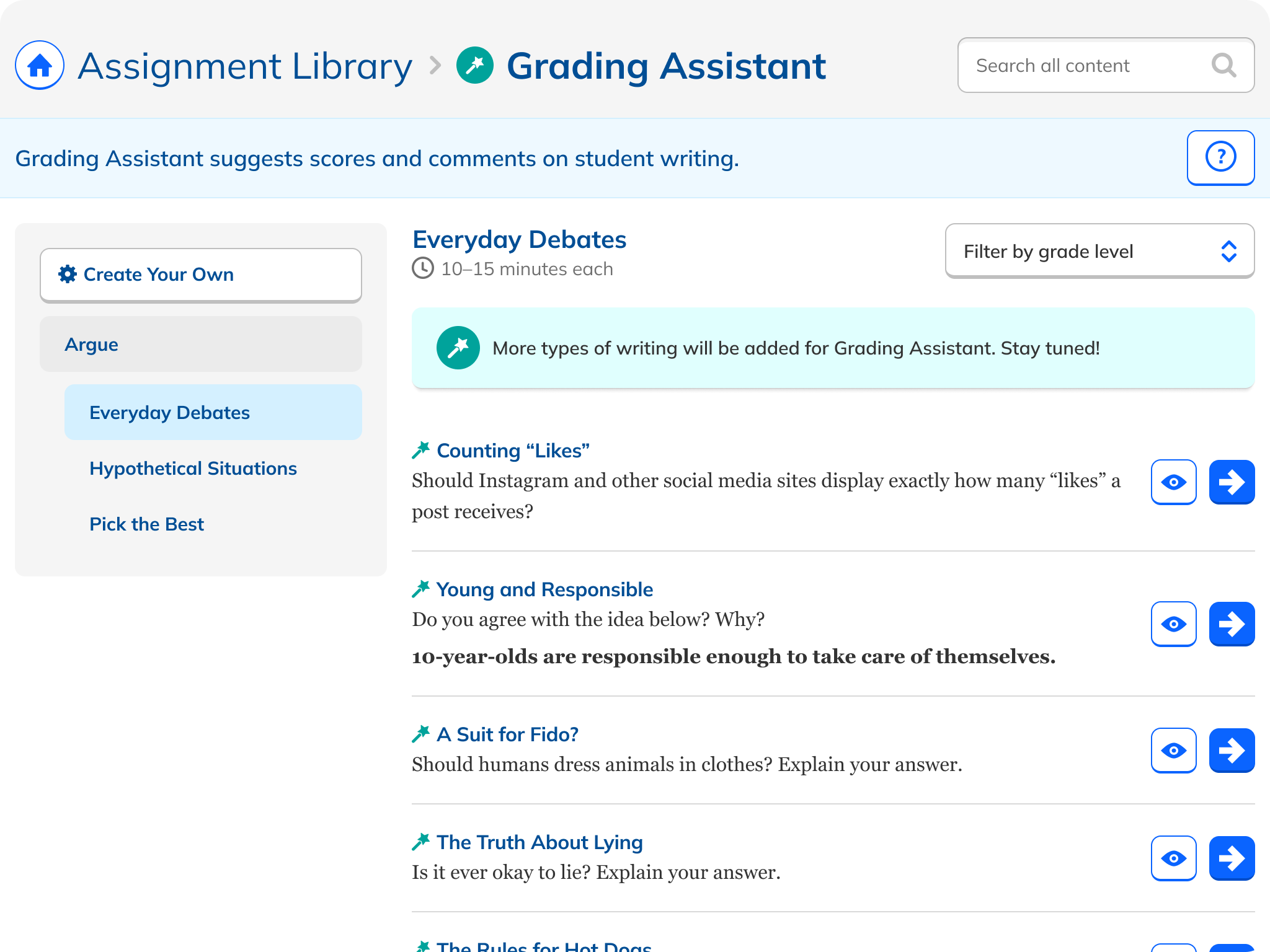
We began internal experimentation to see whether an LLM could evaluate student work reliably, how rubric-aligned feedback might be generated, and what level of accuracy was achievable with prompt engineering and curriculum input. Product, curriculum, and engineering collaborated to define the “surface area” that an MVP could reasonably support. These early constraints helped refine the ideation into a manageable product scope suitable for beta testing. We determined that we should focus first on a subset of writing (argumentative paragraphs) where grading criteria are explicit and structured and prioritize a lightweight experience that reduces friction for teachers rather than adding steps.
Based on what we were hearing from teachers, we established some design principles to guide our outcome:
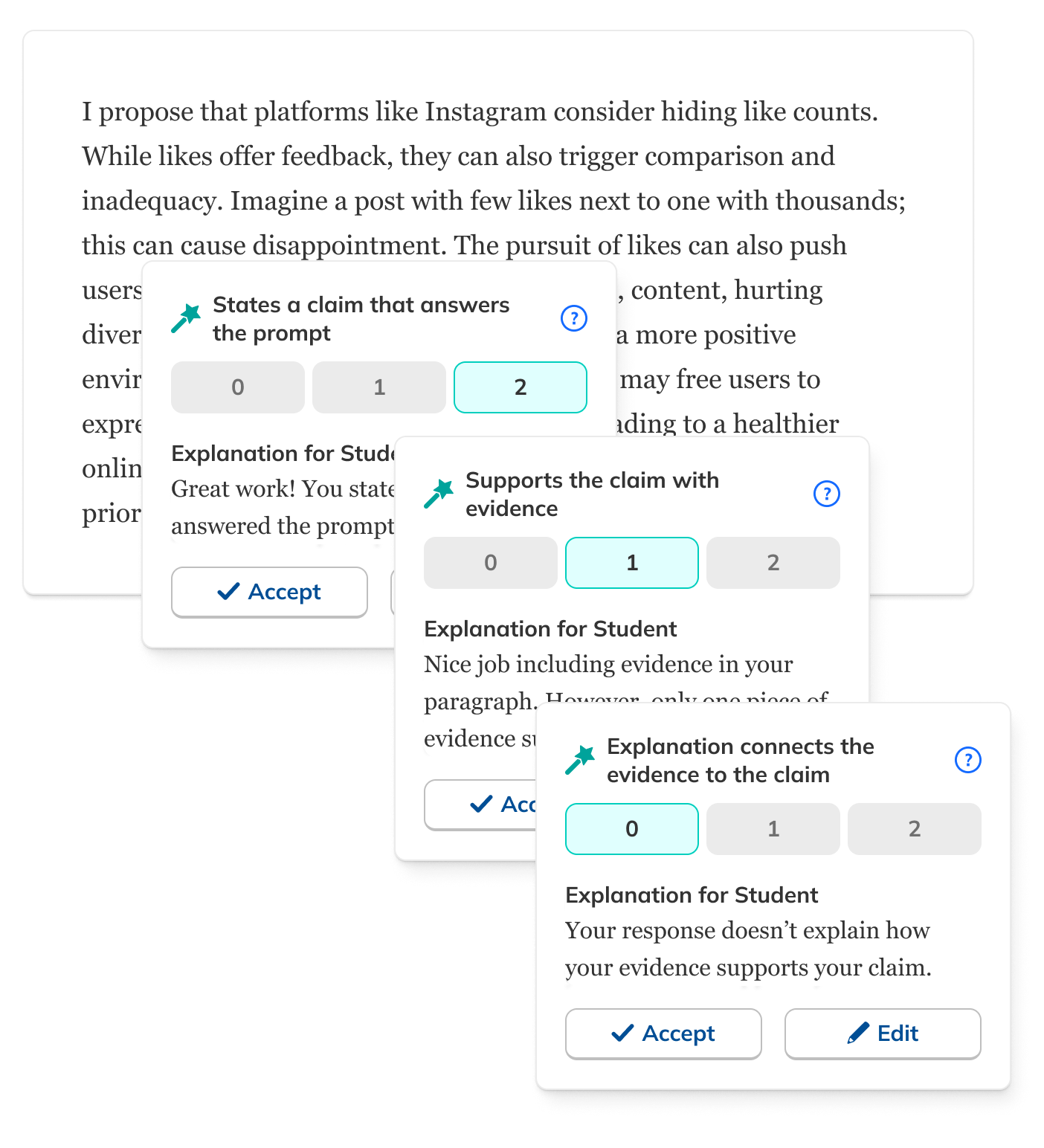
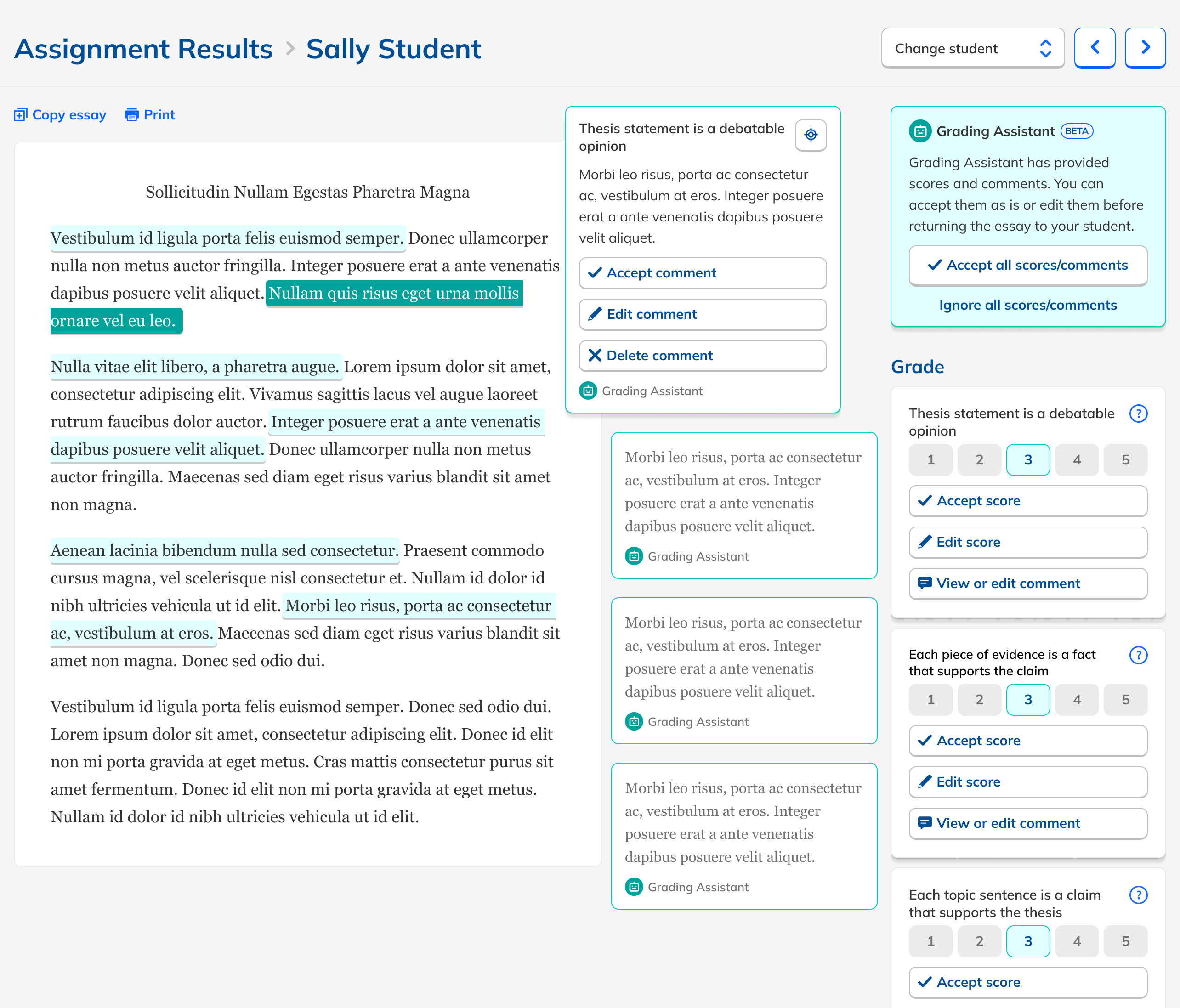
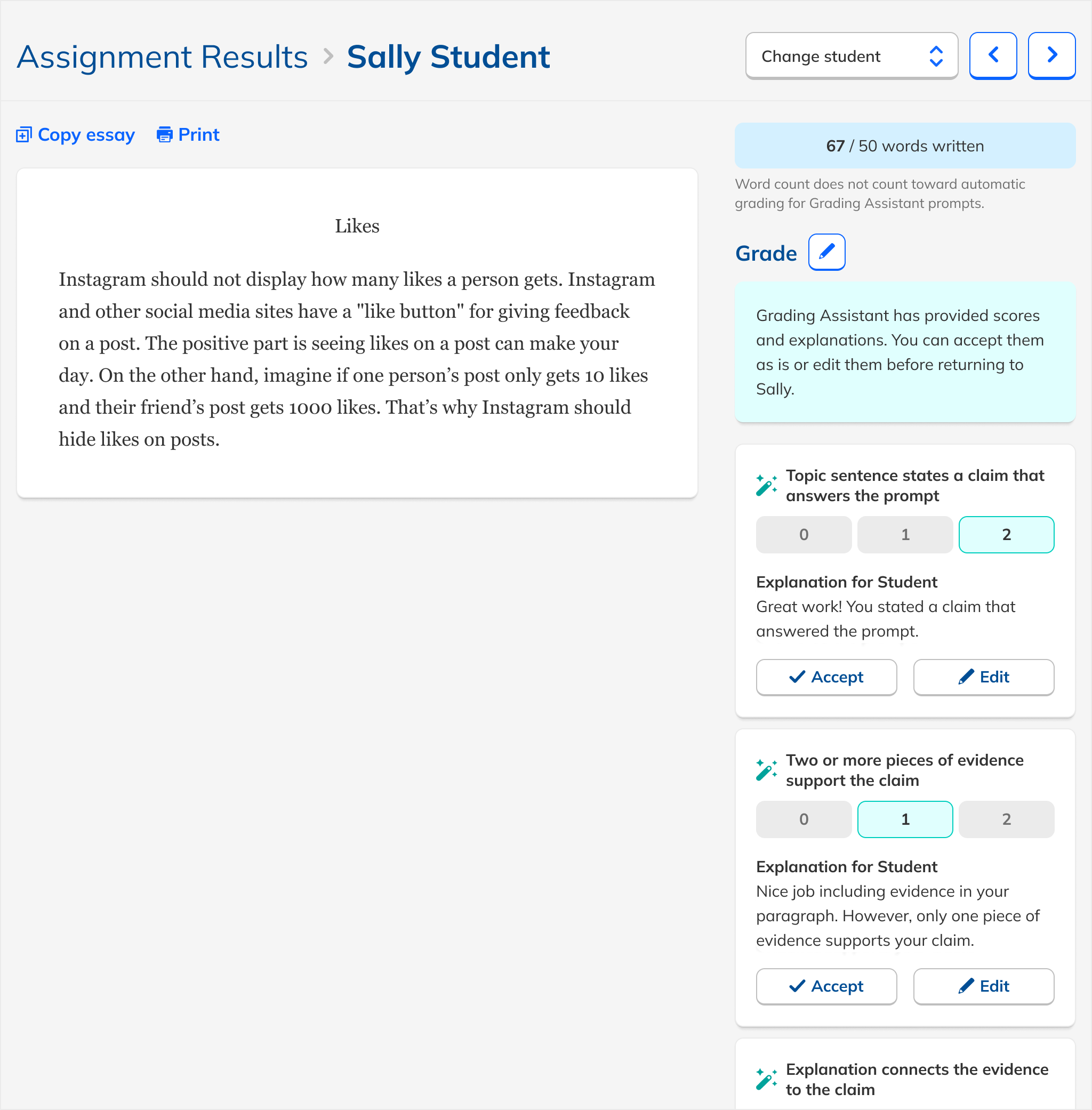
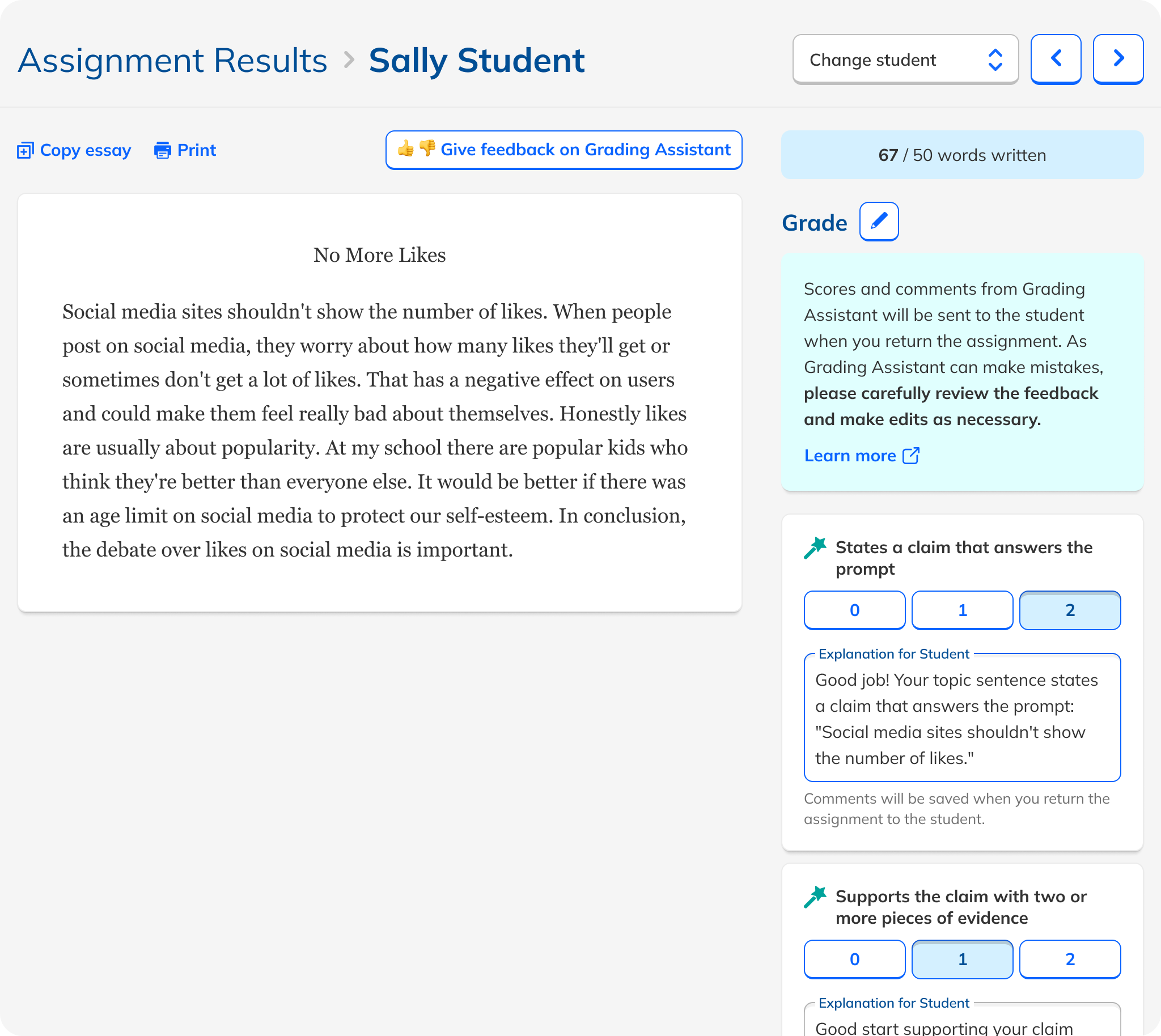
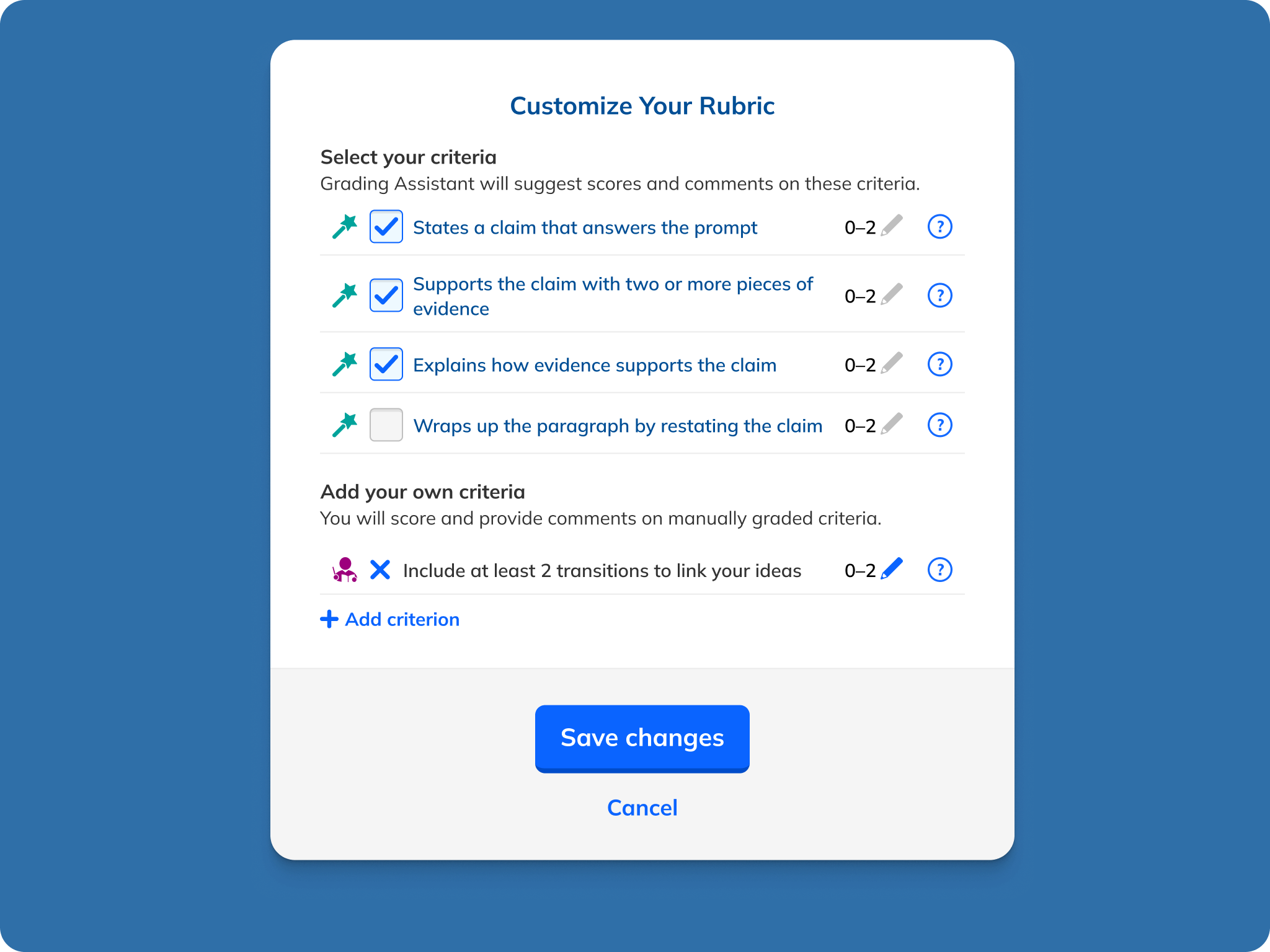
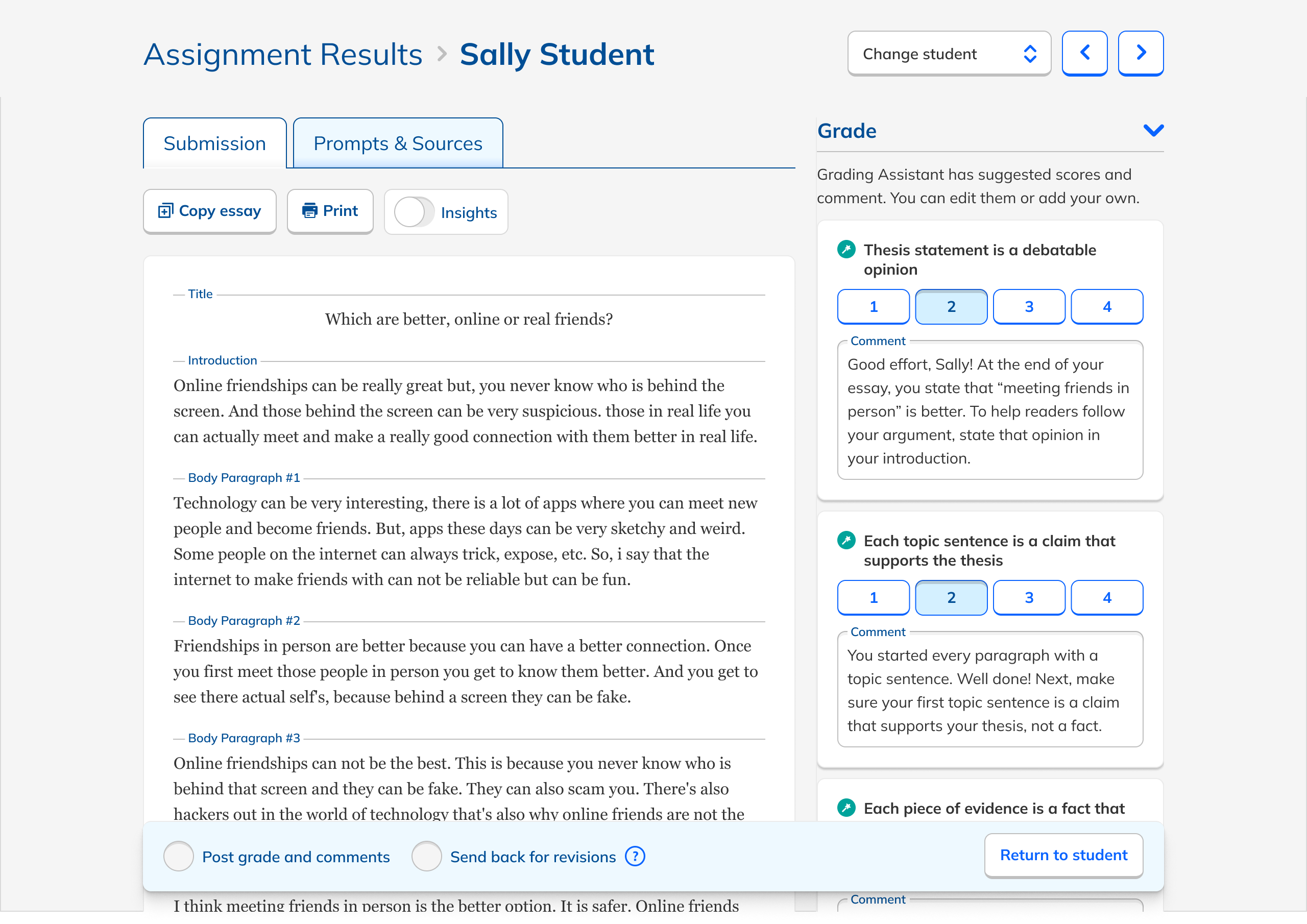
These principles led naturally to a design that leveraged our existing grading interface and provided AI feedback as comments for the student, which doubled as explanations for the teacher. I started with an expansive prototype that included in-line commenting. Once our testing revealed that the LLM functioned best with a narrow, highly structured rubric, in-line commenting was dropped in favor of grading based on rubric criteria.
One particular area of discussion we had was around how explicitly teachers should need to review/approve the AI feedback. Ultimately, out of a desire to ensure that students received only feedback that essentially came from their teachers and not an unaccountable AI, we removed the ability for teachers to mass approve all feedback, and kept the need to approve each comment. It was early days in teachers' and students' relationships with AI, and maintaining trust was paramount.

After we had validated our design and the comments produced by Grading Assistant internally, we launched a beta to a subset of users. The purpose of the beta was to validate whether AI-assisted grading could measurably reduce teacher workload, accelerate feedback to students, and maintain a level of scoring reliability that preserved teacher trust. The beta also served internal goals, such as assessing grading quality at scale, exploring cost implications of high-frequency AI use, and building organizational experience in developing production-ready AI features. Together, these objectives positioned the beta not only as a test of product feasibility, but also as an opportunity to clarify long-term scope and determine whether full rollout to all users was justified.
The logistics of the beta launch reflected the cross-functional complexity of releasing an AI-powered feature. The team set a firm launch date and prepared an extensive checklist that ensured reliability across engineering, QA, and curriculum. Feature flags governing access to the Grading Assistant were verified one by one and the team conducted full end-to-end tests in production to confirm that submissions were graded correctly and that our monitoring infrastructure was operating correctly. Parallel to the technical preparation, the curriculum team certified prompts for accuracy, I finalized the user experience, and we readied surveys and interview guides for post-launch evaluation.

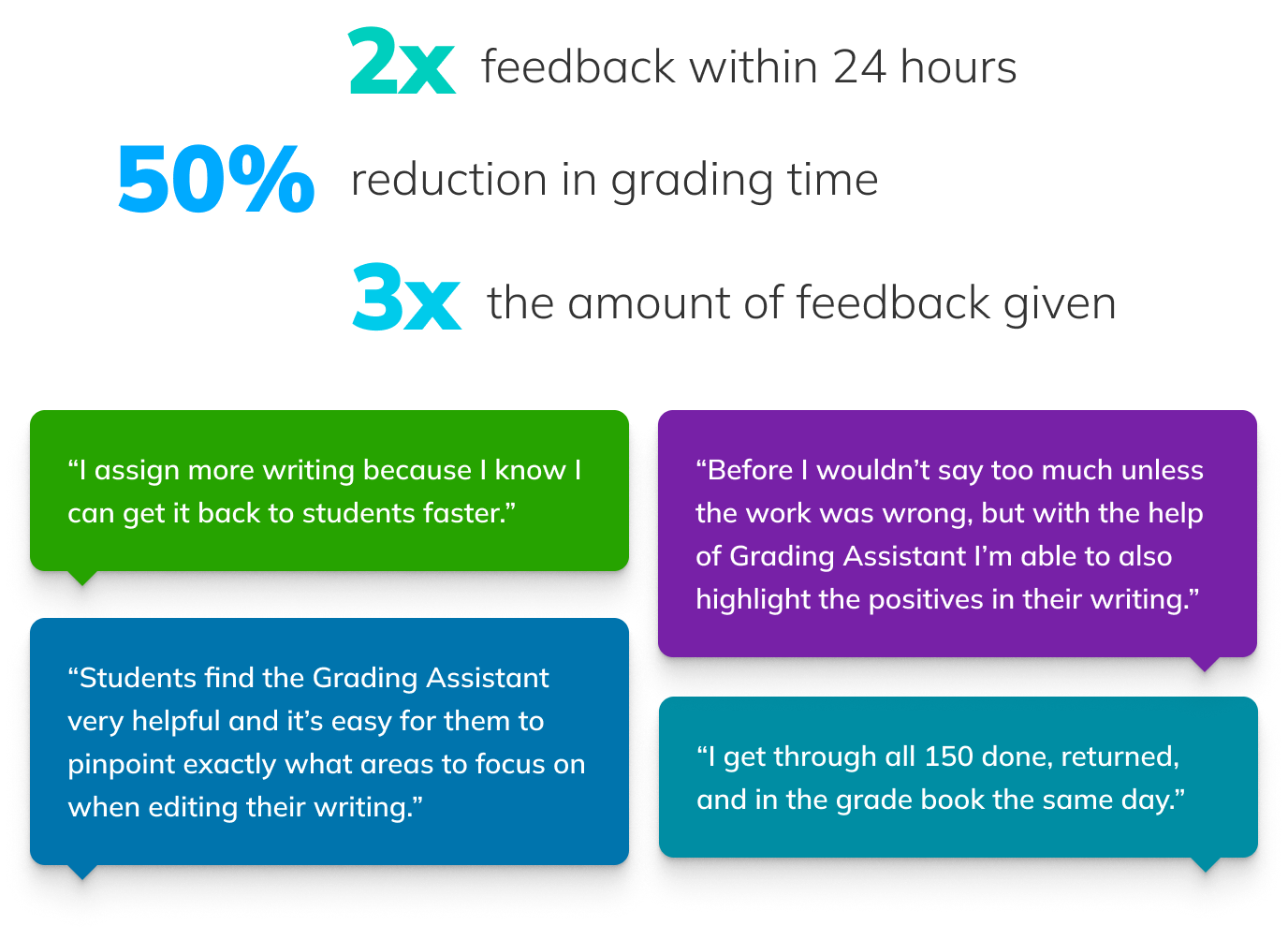
The results from the beta were extremely encouraging:
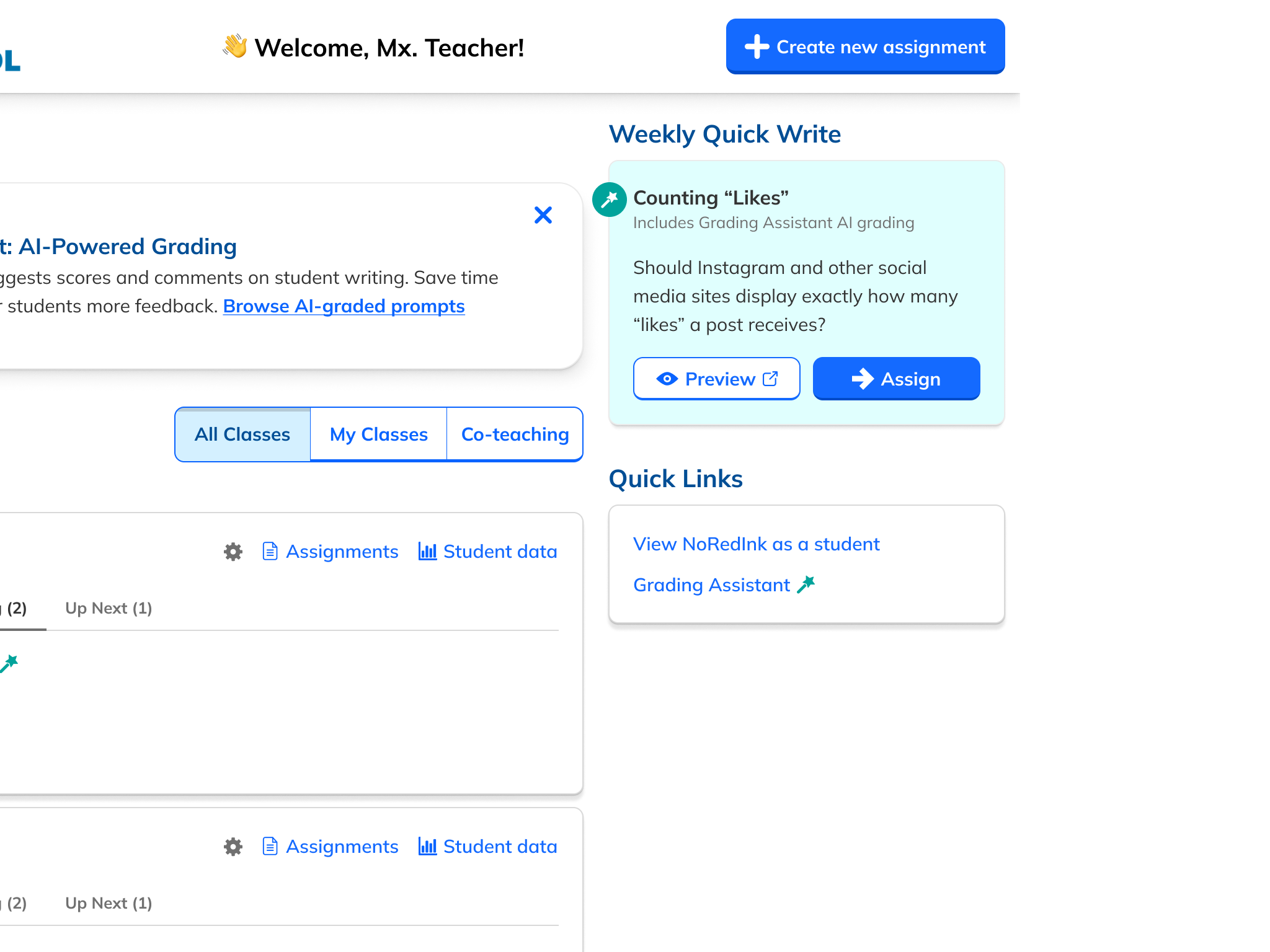
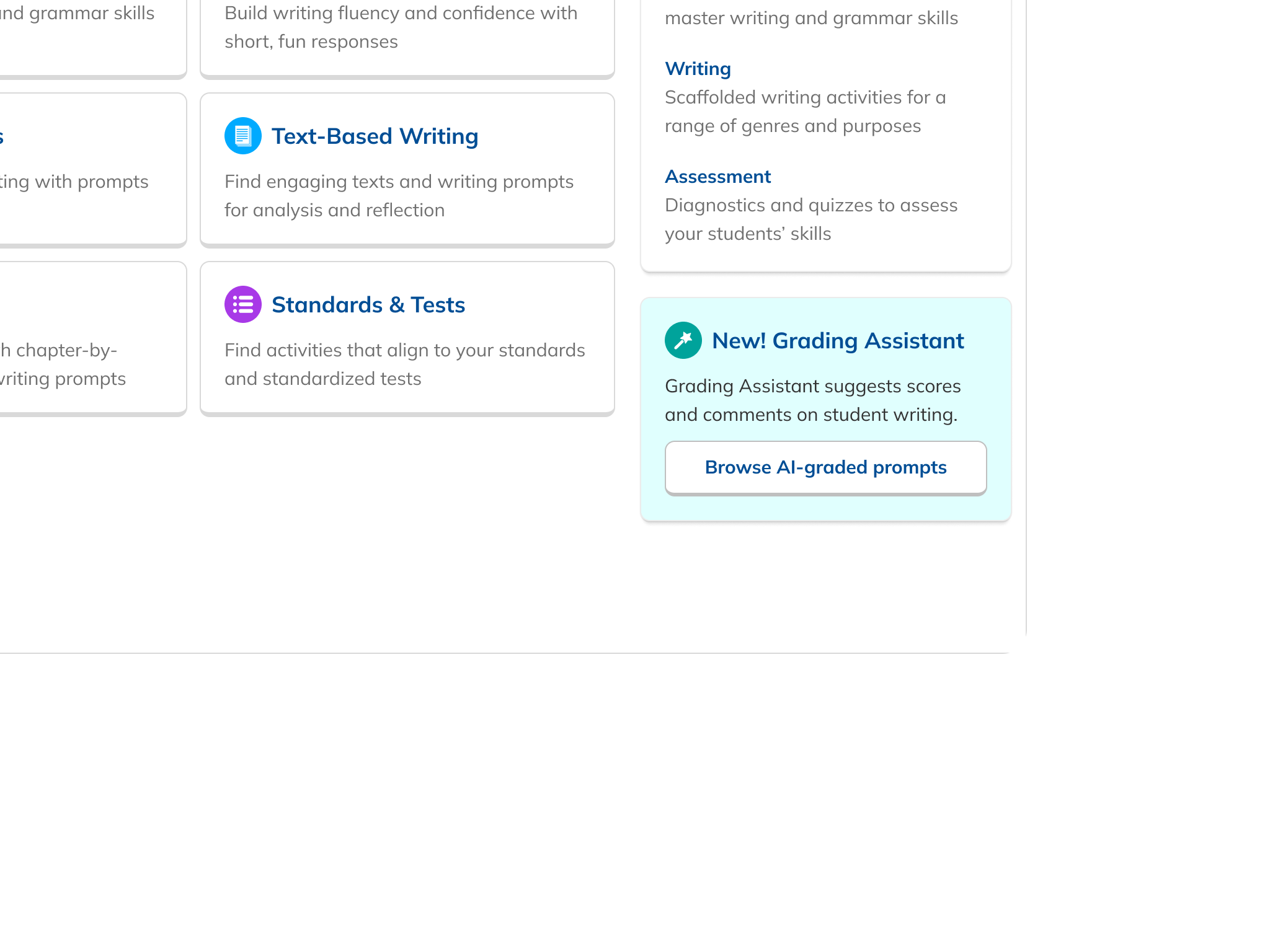
Only ~10% of teachers viewed Grading Assistant prompts during the beta period, and about 2.5% ultimately assigned a Grading Assistant assignment. The lower visibility underscored the need for clearer in-product guidance and promotion. Despite these discoverability challenges, early usage showed strong engagement among teachers who found the feature. 15% of teachers who assigned any writing chose a Grading Assistant prompt, and the 55% conversion rate among teachers who viewed a prompt demonstrated clear demand once exposed.
Qualitatively, teacher interviews showed high enthusiasm. Many expressed interest in using Grading Assistant “every day” for writing practice. Teachers appreciated the reduction in grading load, allowing them to focus more on instruction and less on mechanical scoring. They thought the AI-generated feedback was clearer, more specific, and more encouraging than what they could produce within typical time constraints. Teachers also remarked that students found the feedback easy to act on and were energized by how quickly it arrived.

Teachers edited scores or feedback only ~5% of the time, suggesting strong perceived accuracy. And since many noted that manually clicking “accept” for each comment could be tedious, we iterated on the interface to drop the need to approve AI comments, resulting in an even simpler, more efficient experience.
Much of the post-beta iteration was in the area of comment tone and structure, including more positive language, higher specificity, and better personalization. We also found that feedback containing paraphrased student writing could unintentionally repeat harmful content in rare cases. As a response, we introduced better content detection and flagging instead of grading potentially harmful submissions.
Perhaps the biggest barrier to satisfaction was not the user experience or the comment quality. Teachers simply wanted more. They wanted it for more genres, for longer essays, to work with source texts, and on and on. This was a great problem to have. While these expansions wouldn't come until down the road, they set a clear map for the team to follow.

Grading Assistant demonstrated how AI can meaningfully reduce friction in writing instruction by:
Our collaborative, cross-disciplinary approach ensured that the feature not only met the technical and pedagogical challenge of automated grading but also built genuine trust among teachers. The beta and subsequent wide release made clear that with careful design, AI can significantly increase access to writing practice and feedback, supporting better outcomes for students while giving teachers valuable time back.