Case Study · NoRedInk · AI Feature

Grading
Assistant.

How we designed an AI grading tool that cut teacher grading time in half and tripled student access to written feedback.

AI / LLM Teacher Tools EdTech

Ben Dansby · Product Design

01 / 15
Context

The LLM moment.

When large language models started excelling at text, NoRedInk was uniquely positioned. No prior AI experience, but its entire mission centered on English Language Arts: exactly what the early models seemed unusually good at.

The temptation was to bolt on AI just to check a box. Instead, we asked a harder question: what would genuinely help teachers?

Company context
1

No prior AI/ML experience

Starting from zero with no existing infrastructure or in-house expertise.

2

Mission-aligned opportunity

Teaching ELA was precisely where LLMs were showing early strength.

3

Avoiding "spray-on AI"

Commitment to finding something that genuinely served teachers, not just ticking boxes.

02 / 15
Finding the Opportunity

Grading writing is brutal.

Our early research made one thing very clear: grading writing is one of the most time-consuming parts of a teacher's job.

Even dedicated teachers struggled to keep up with grading and providing individualized feedback. Teachers who felt less confident teaching writing often avoided assigning it at all.

Auto-grading wasn't a new idea. But LLMs made it suddenly viable for writing, a format that had always resisted automation.

"I would not typically stray into writing… unless AI can grade it and ELA teachers trust it over 80% of the time."

Teacher interview participant

What we heard

Not enough time to give meaningful feedback

Less-confident teachers avoiding writing assignments

Students waiting days for feedback they can't act on

03 / 15
Scoping the Solution

Start small. Start specific.

Working with a PM, curriculum specialist, and engineers, we defined an MVP scope that was ambitious enough to test the concept but constrained enough to ship.

🎯
Focus: Argumentative paragraphs
Clear, structured grading criteria, the format where the LLM performed best and rubric alignment was most natural.
Goal: Reduce friction
Not a new workflow, just a lighter lift on the existing one. The bar was saving time, not replacing the teacher.
🧪
Method: Internal experimentation
We ran internal LLM experiments first: could it evaluate reliably? What accuracy could prompt engineering achieve?
04 / 15
Designing the Experience

Four principles.

Based on what we heard from teachers, these principles guided every design decision.

🧑‍🏫
Teacher-first
Teachers must always remain in control of grading decisions. AI suggests; teachers decide.
🔍
Transparent
Show how the AI reached its judgment. No black boxes: feedback that doubles as an explanation.
🪶
Lightweight
Reduce grading effort rather than introducing new workflows. Every step added is a step too many.
📐
Aligned
Follow familiar rubric structures grounded in curriculum accuracy. Meet teachers where they already work.
05 / 15
The Design

Layer in, don't replace.

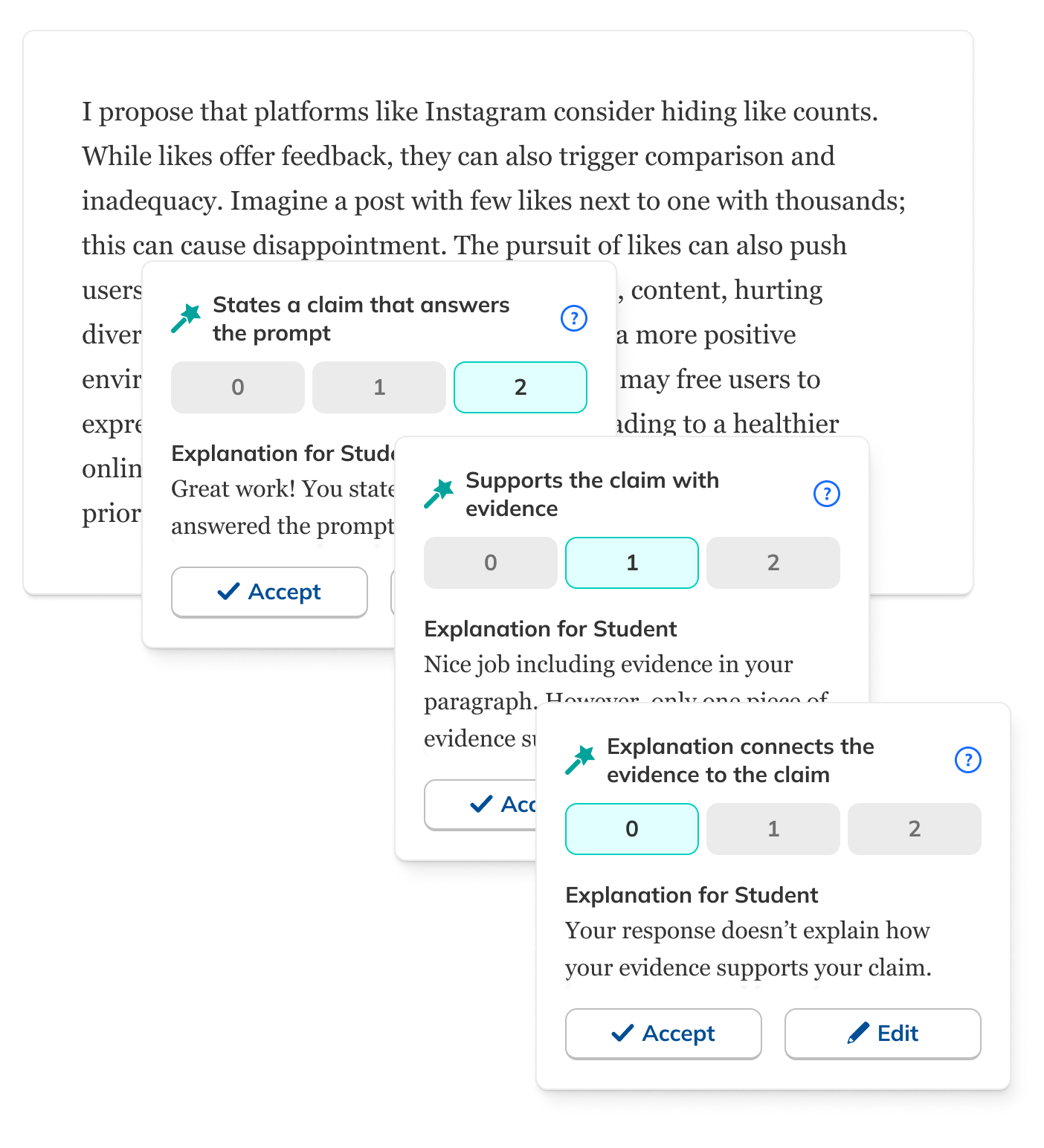
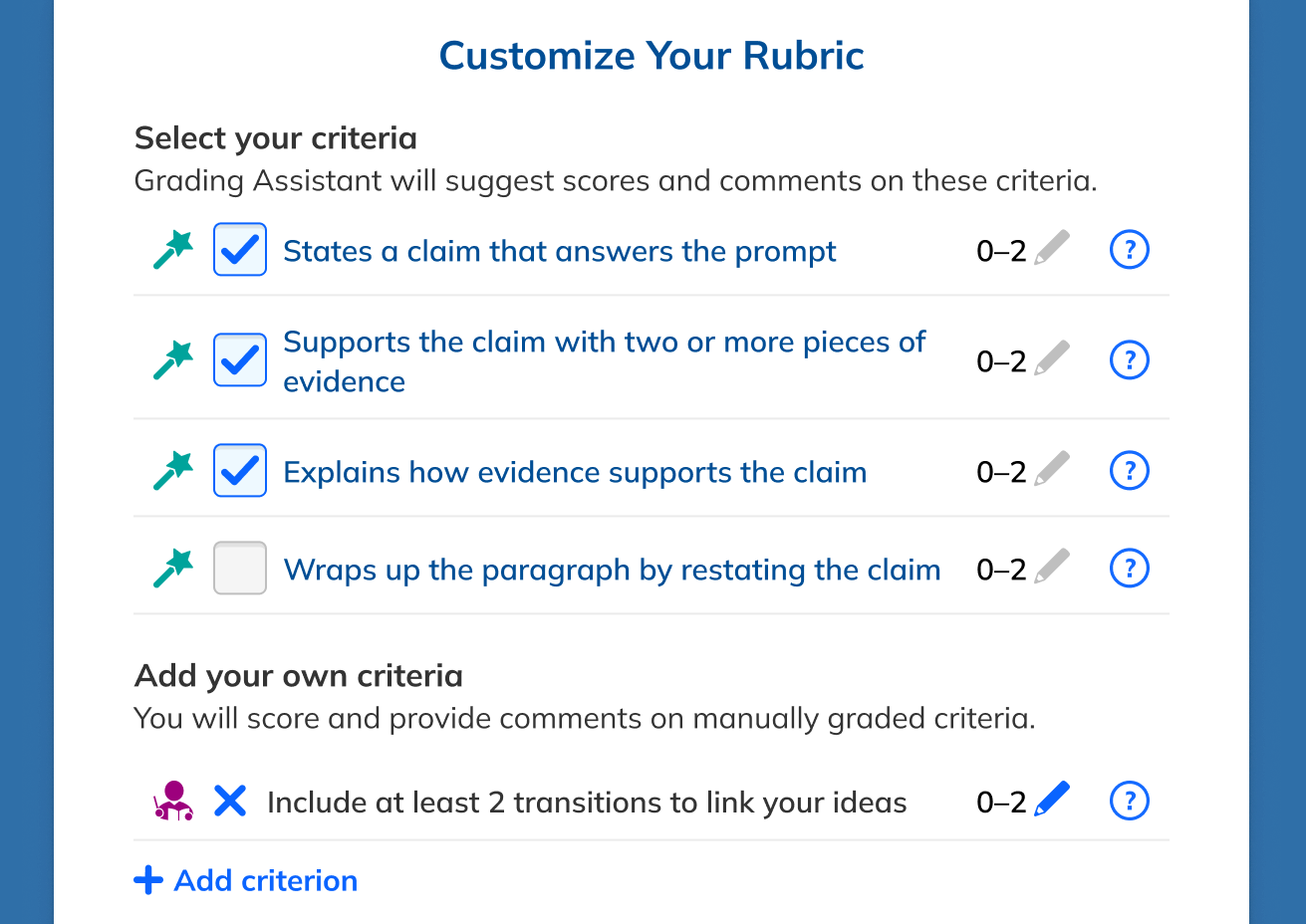
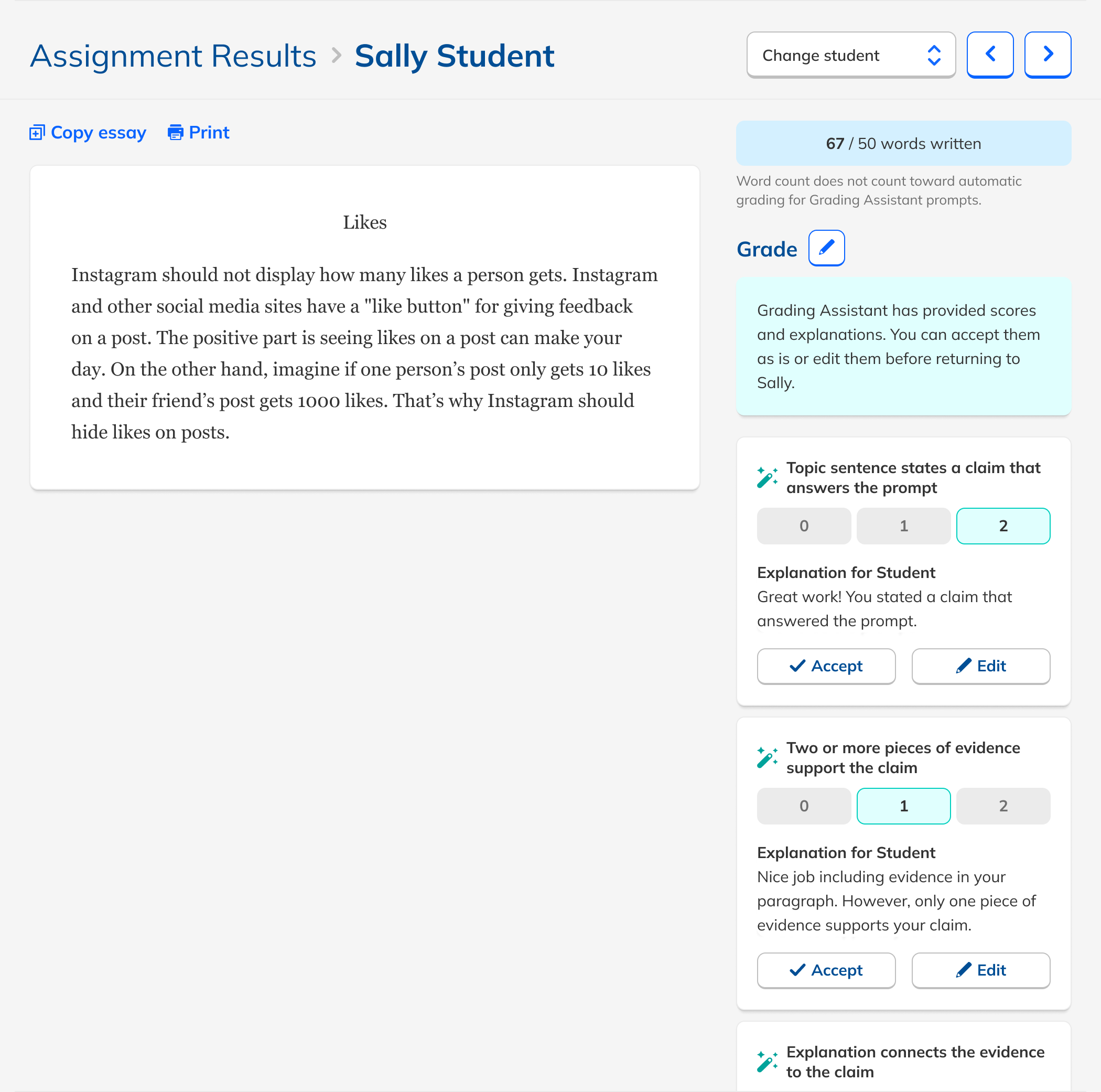
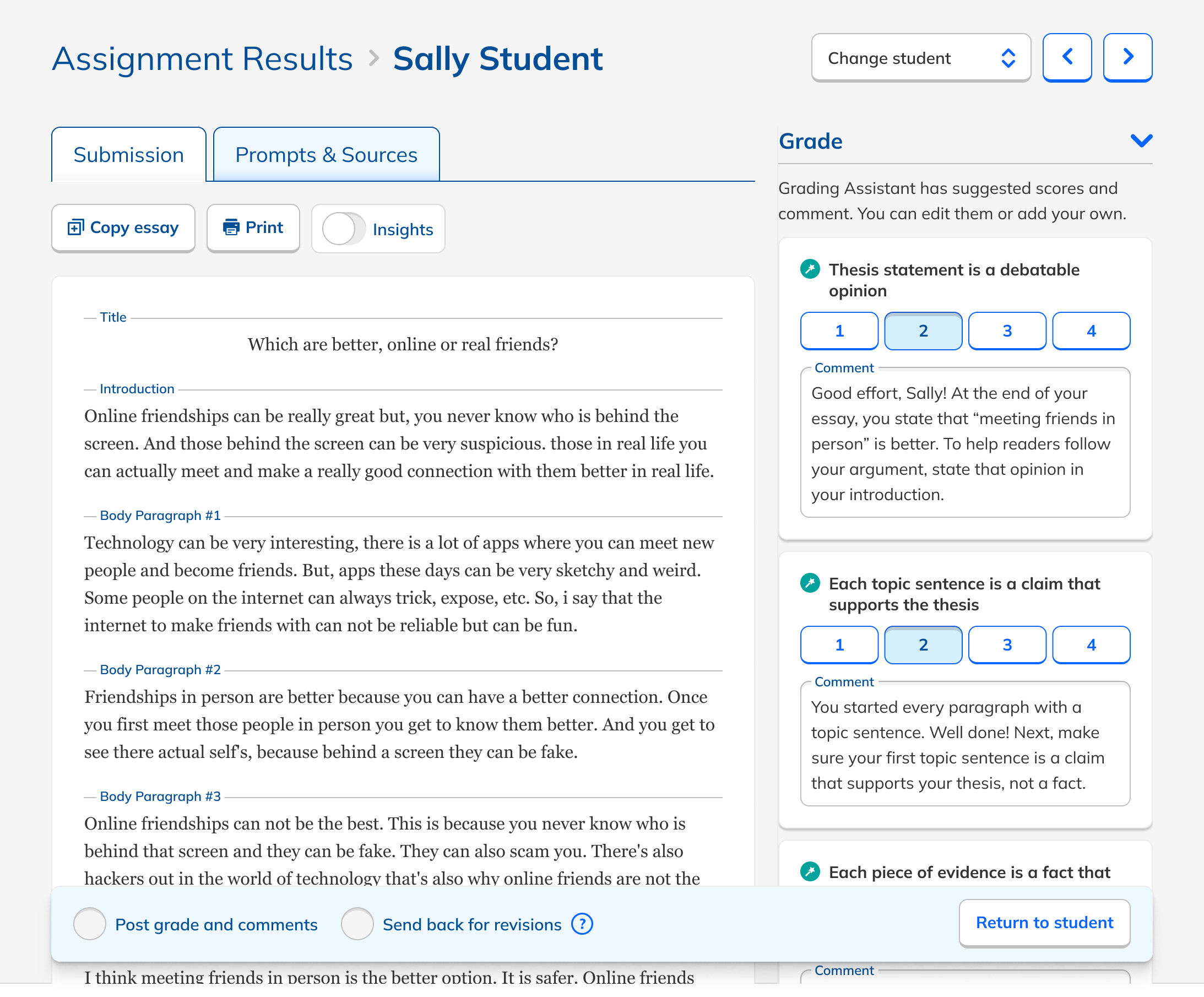
Rather than reinventing the grading workflow, I added AI feedback directly into NoRedInk's existing rubric-based grading interface.

AI comments appeared as suggested feedback for students, which also served as explanations for the teacher. Transparent by design.

Teachers had to edit or approve each comment, keeping them clearly responsible for the final grade.

We tested inline comments, general comments, different rubric styles, checklist grading, and non-rubric feedback. Teachers consistently preferred rubric-tied feedback, which also happened to be where the LLM performed best.
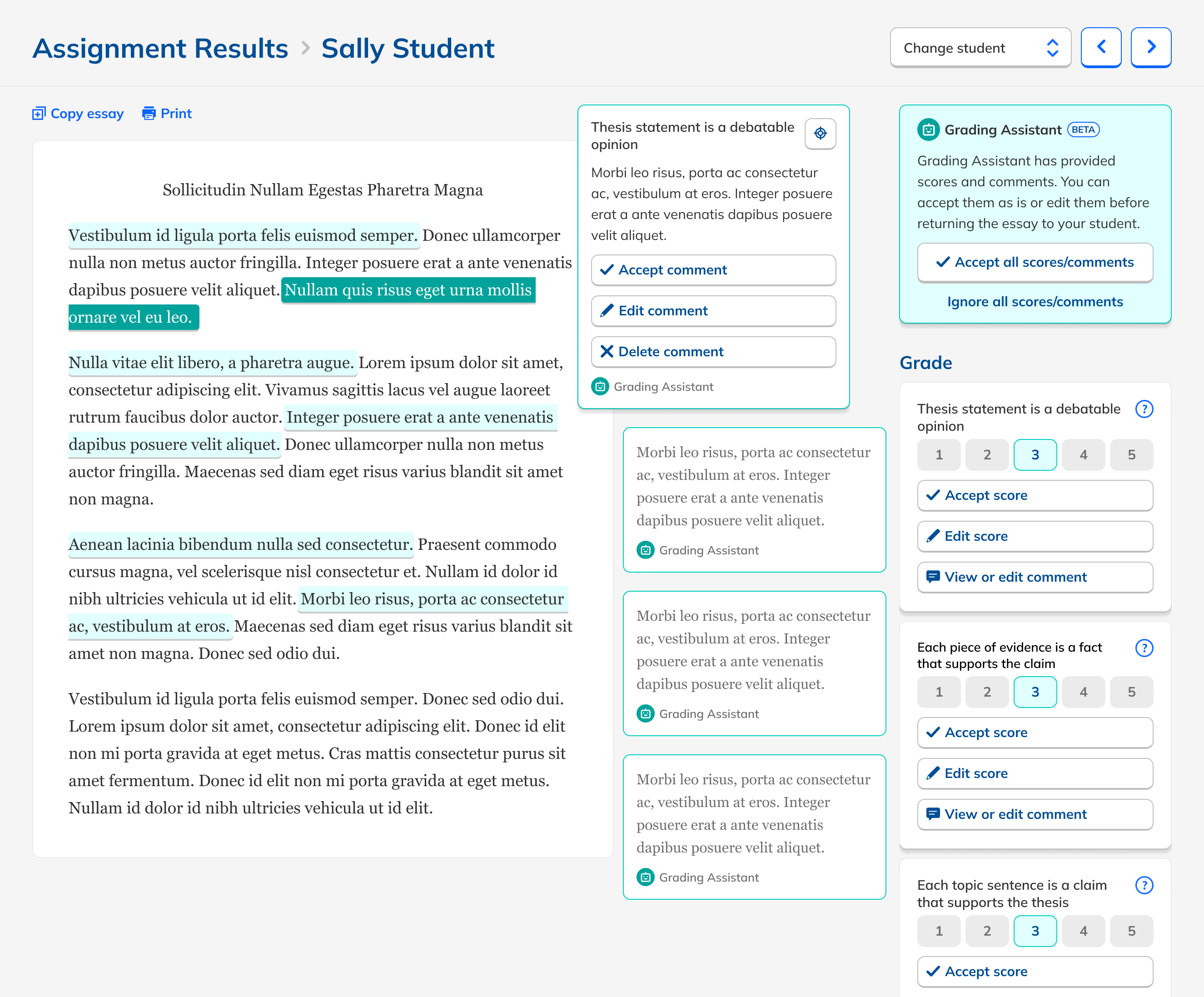
Grading Assistant interface showing rubric-aligned AI feedback
06 / 15
Design Decision

How much should teachers have to review?

One of the trickiest design questions: how explicit should the review step be? Too little and teachers felt unaccountable. Too much and it defeated the purpose.

Mass approve all

Removed. Felt irresponsible at a time when trust in AI was still fragile. Students deserve vetted feedback.

Nag modal for skipped reviews

Removed. Added friction without meaningfully improving trust or outcomes.

Approve comments individually

The right balance: explicit teacher review without overwhelming the workflow.
Beta launch microsite
07 / 15
Beta Launch

Ship to learn.

After internal validation and quality checks, we launched a beta to a subset of teachers. Three questions guided it:

1

Did it reduce teacher workload?

Measuring actual time spent grading comparable assignments.

2

Did students get feedback faster?

Tracking how quickly feedback reached students after submission.

3

Did teachers still trust the scoring?

Monitoring edit rates as a proxy for confidence in AI output.

Launch checklist

Microsite to build hype + capture sign-ups

Direct line of communication with beta testers established pre-launch.

Usability testing on final prototype

Confirmed the interface made sense to teachers before shipping.

Polish pass with engineering

Small animations when teachers approved feedback. Details matter.

08 / 15
Beta Results

The results were extremely encouraging.

Before
82s
Manual grading
Feedback within a day
as many students received feedback within a day
With Grading Assistant
37s
55% faster, roughly half the time
Written feedback
more likely to receive written feedback at all (45% vs. 16%)
09 / 15
Beta Results

Strong adoption, stronger qualitative signal.

Usage was strong even among self-selecting beta users. The qualitative signal was even clearer: teachers weren't just tolerating the tool. They were excited about it.

Many expressed interest in using Grading Assistant "every day" for writing practice. Students were energized by how quickly feedback arrived, and found it easier to act on.

These were beta users, a self-selecting group. Still, both quantitatively and qualitatively, the data affirmed we should proceed immediately to full release.

15%
of teachers assigning any writing chose a Grading Assistant assignment
55%
of teachers who viewed a GA assignment ultimately assigned it
10 / 15
In Their Words

What teachers said.

"I assign more writing because I know I can get it back to students faster."

"Before I wouldn't say too much unless the work was wrong, but with the help of Grading Assistant I'm able to also highlight the positives in their writing."

"Students find the Grading Assistant very helpful and it's easy for them to pinpoint exactly what areas to focus on when editing their writing."

"I get through all 150 done, returned, and in the grade book the same day."

11 / 15
Iteration

Simplify, then simplify again.

Teachers edited scores or feedback only 5% of the time, suggesting strong trust in the output. But they found individual approvals tedious.

1

Removed the approval step entirely

Grading became faster and simpler. AI feedback went live on save.

2

Added an autosave indicator

Without confirmation buttons, users weren't sure edits were saving. A quiet message resolved it.

3

Refined comment tone + structure

More positive, more specific, better personalized. Prompt engineering + feedback loops.

4

Added content safety flags

Rare cases where AI might paraphrase harmful student content, flagged for teacher review.
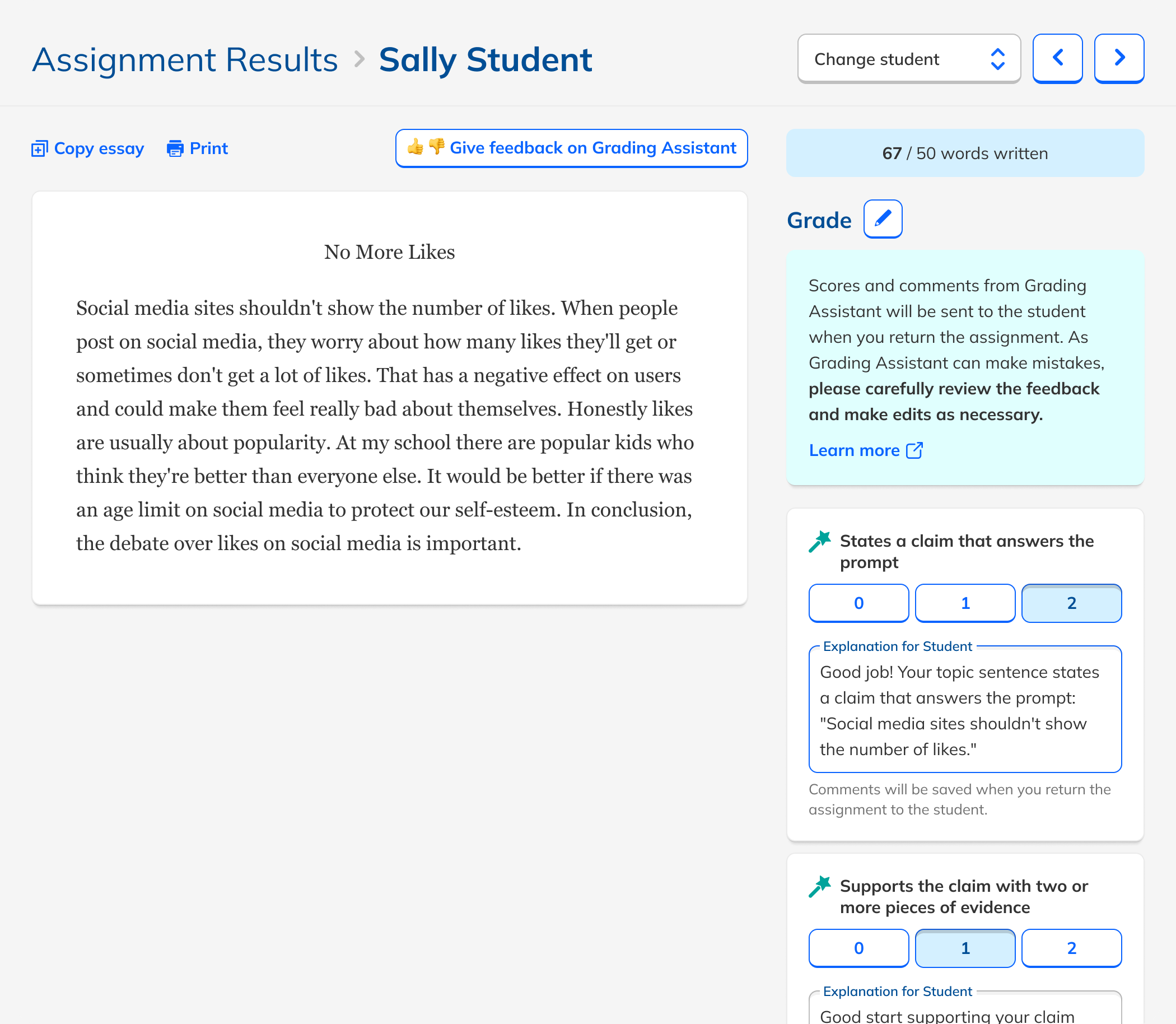
Iterated Grading Assistant UI
12 / 15
Productization & Integration

Making it feel native.

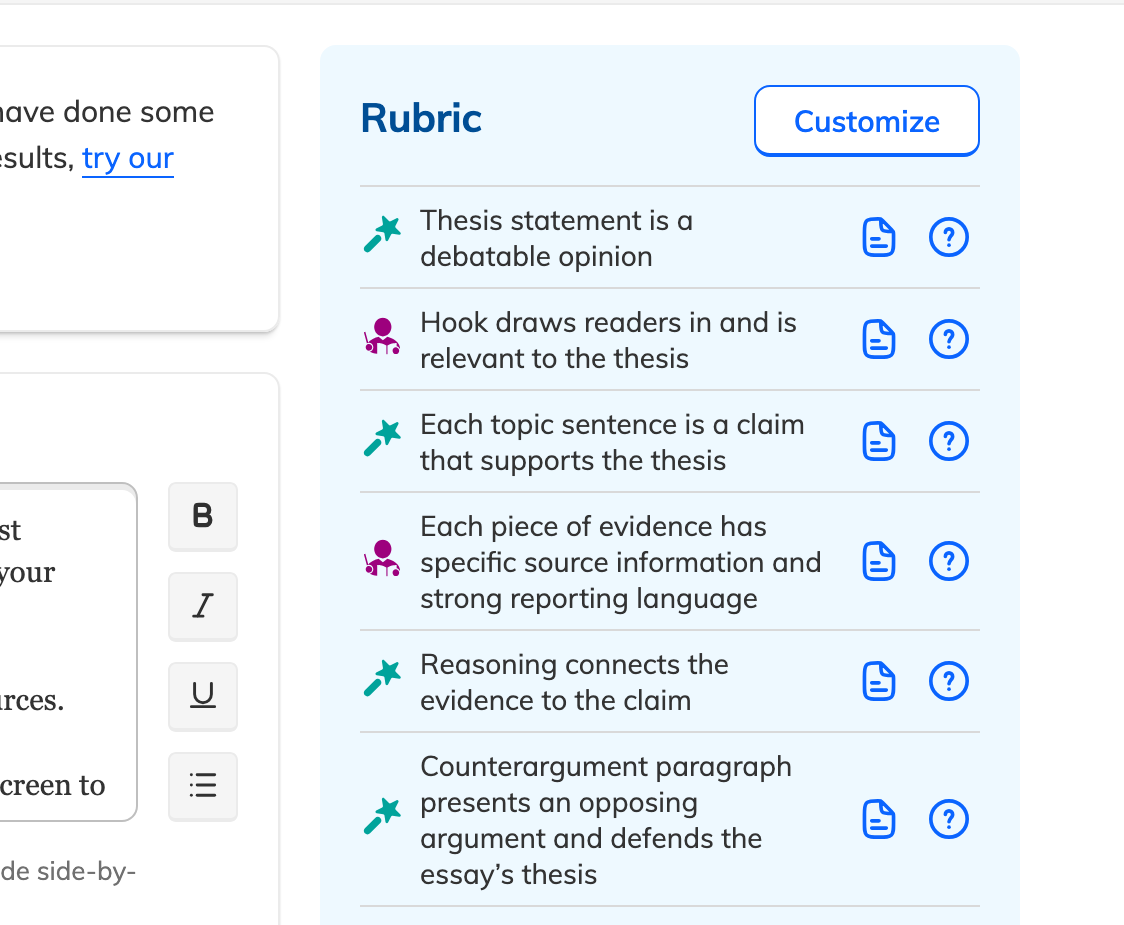
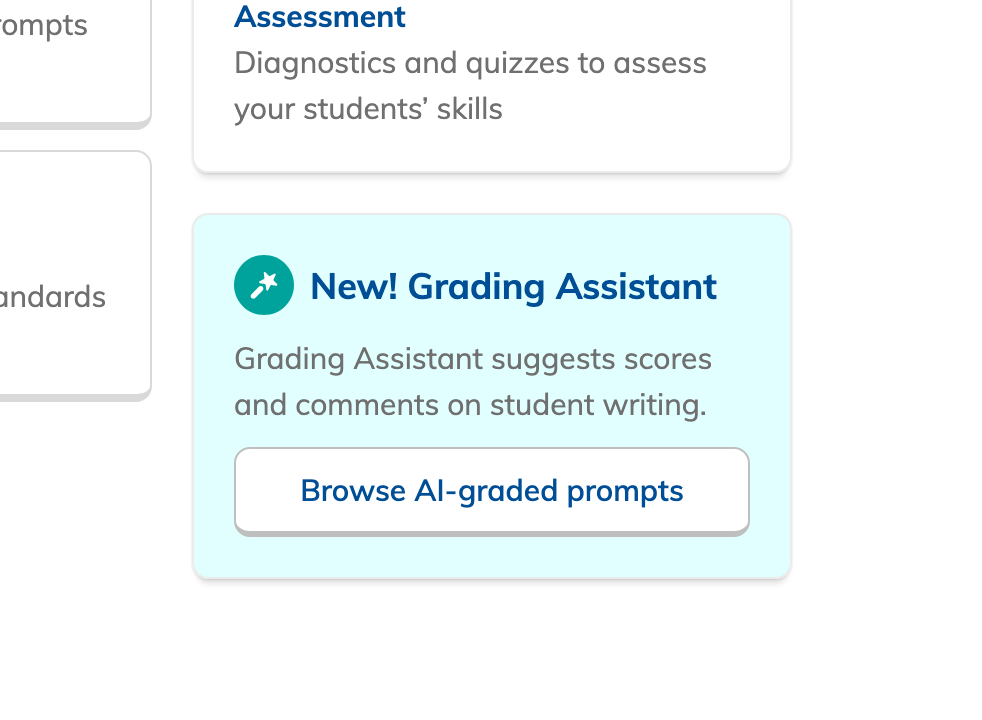
Moving from beta to full product meant weaving Grading Assistant into the platform rather than leaving it as a bolt-on feature.

1

Visual differentiation

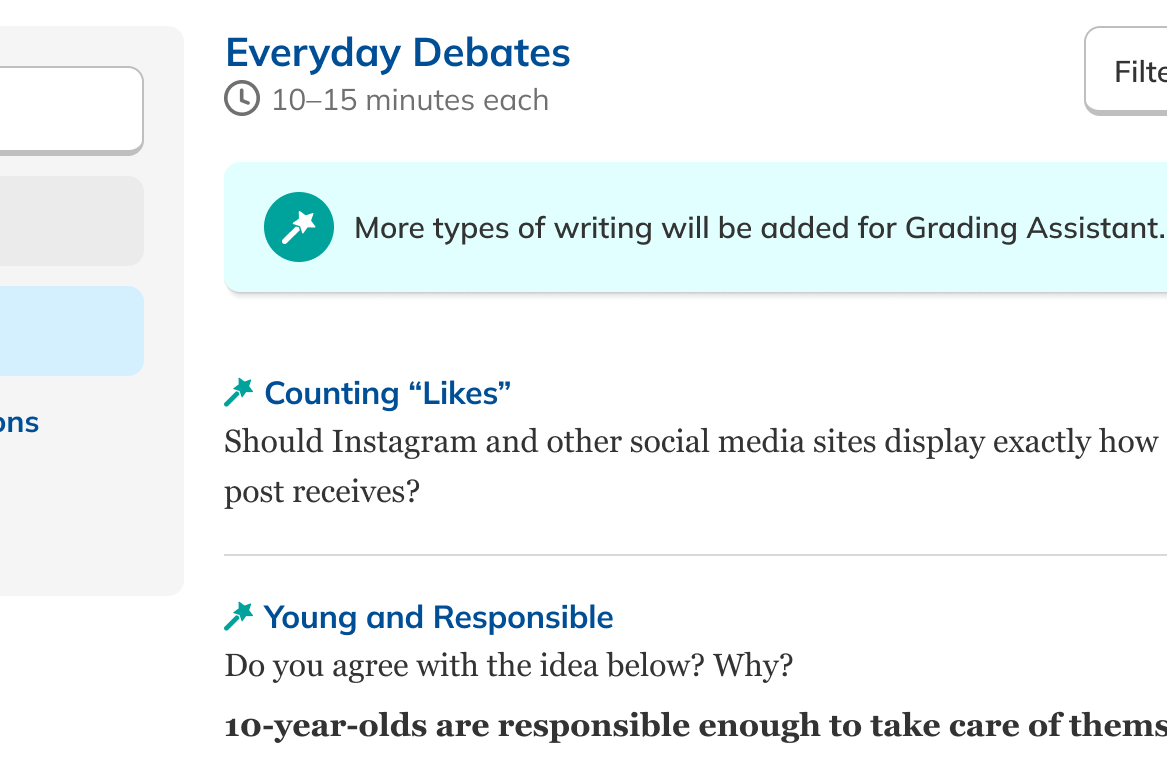
Iconographic notation to distinguish GA assignments from standard ones throughout the teacher experience.

2

Free trial upsell

Free teachers could try Grading Assistant and decide whether to upgrade to Premium.

3

Enterprise benchmarks

District admins could choose and configure GA assignments at scale within the Benchmark feature.

70%

Teachers who used Grading Assistant during the free trial were 70% more likely to upgrade to Premium.
13 / 15
Key Lessons

AI trust is a design problem.

🎛️
Control beats automation
At a moment when trust in AI was still fragile, giving teachers explicit control over what reached students was more valuable than any time savings from mass-approval.
🔗
Familiar boundaries build trust
Layering AI into the existing rubric interface, rather than introducing a new paradigm, made the feature immediately legible to teachers. Meet people where they are.
🔬
Small interactions, big impact
How feedback was structured, whether approval was required, how edits were saved: these micro-decisions had outsized impact on teacher confidence in the whole system.
📣
The best complaint is "I want more"
The biggest user frustration wasn't quality. It was coverage. Teachers wanted Grading Assistant for longer essays, more genres, and source texts. That's a great problem to have.
14 / 15
Conclusion

What we built.

55%

reduction in grading time per assignment (82s → 37s)

more students received written feedback at all

more students received feedback within a single day

70%

higher Premium upgrade rate from trial users

With the concept proven, the next phase focused on expanding coverage: longer essays, additional genres, and better usability on smaller screens.
Grading Assistant conclusion
15 / 15
1 / 15