NoteLess
A note is whatever fits on one card.
Or pick it up in a bundle with over twenty other apps. Also available on Setapp.
What it does
The card is the limit
One fixed-size cream rectangle. Type past the visible bound and the keystroke is rejected; the window shakes. If a thought doesn't fit, it isn't a note.
Summon, don't switch
Press ⌘⇧Space from anywhere. The card floats over whatever you were doing. ⌘↩ keeps it; Esc discards it. Your hands never leave the keyboard.
Cards expire on their own
Unpinned cards age out after seven days. Pin the few that matter; the rest become mulch. The app gets lighter over time without you having to clean up.
- Hold Option to dictate. Speech recognition runs on-device — audio never leaves your Mac. The cursor turns into a microphone while the key is held; release to commit the transcript.
- Browse all cards inside the same window. Click the small grid icon and the live card crossfades into a scrollable wall of thumbnails, all at the same fixed panel size. Click any thumbnail to focus it. Right-click for pin / delete.
- Baskerville on cream. The body type is Baskerville, the paper is cream, the ink is a touch warm. The card is what you keep looking at; it's chosen to be worth looking at.
- Quiet by default. No Dock icon, no menu bar app menu. Lives as a single status-bar item that you can hide entirely. Open from Finder when you want Preferences.
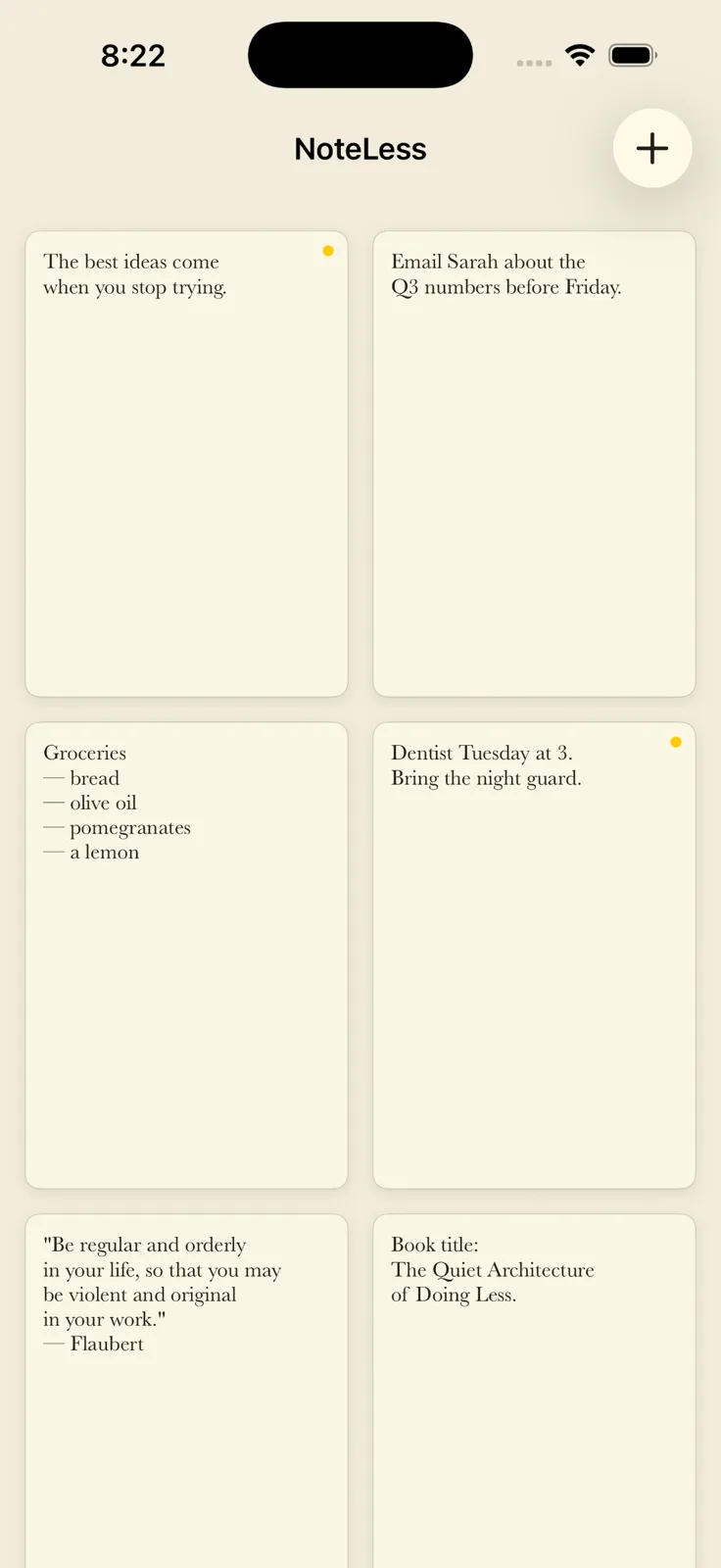
- Pinned cards survive. A yellow dot in the corner says "this card outlives the seven-day window."
⌘⇧Ktoggles it; right-click a thumbnail does the same. - Position is sticky. Drag the card once and it remembers where you put it across summons and across launches.
- Auto-update via Sparkle. Future releases install in place from this same channel.
Screenshots


On iPhone and iPad
The same cards, in your pocket.
NoteLess is a native iPhone and iPad app too, with the same one-card-per-thought rule, the same 7-day TTL, and the same grid of everything you've pinned or not yet let go of.
Notes sync over iCloud Drive, so a card you jot down on your phone is already on the Mac.

Get NoteLess
On the App Store for Mac, iPhone, and iPad — one purchase covers all three. Or a small, notarized direct download for the Mac. No tracking, no account, no subscription. Buying more than one app? NoteLess is included in my bundles, along with over twenty other apps. Also available on Setapp.
Support
Questions, bug reports, or feature requests? Email ben.dansby@gmail.com and you’ll get a reply, usually within a day or two.
For how-to documentation, see the NoteLess documentation.
Also here: the privacy policy and the terms of service.