
GitChop
git rebase -i that doesn't drop you into a terminal. Drag-reorder commits, split one commit into many by assigning hunks, reword in place. Native Mac, no servers.
What it does
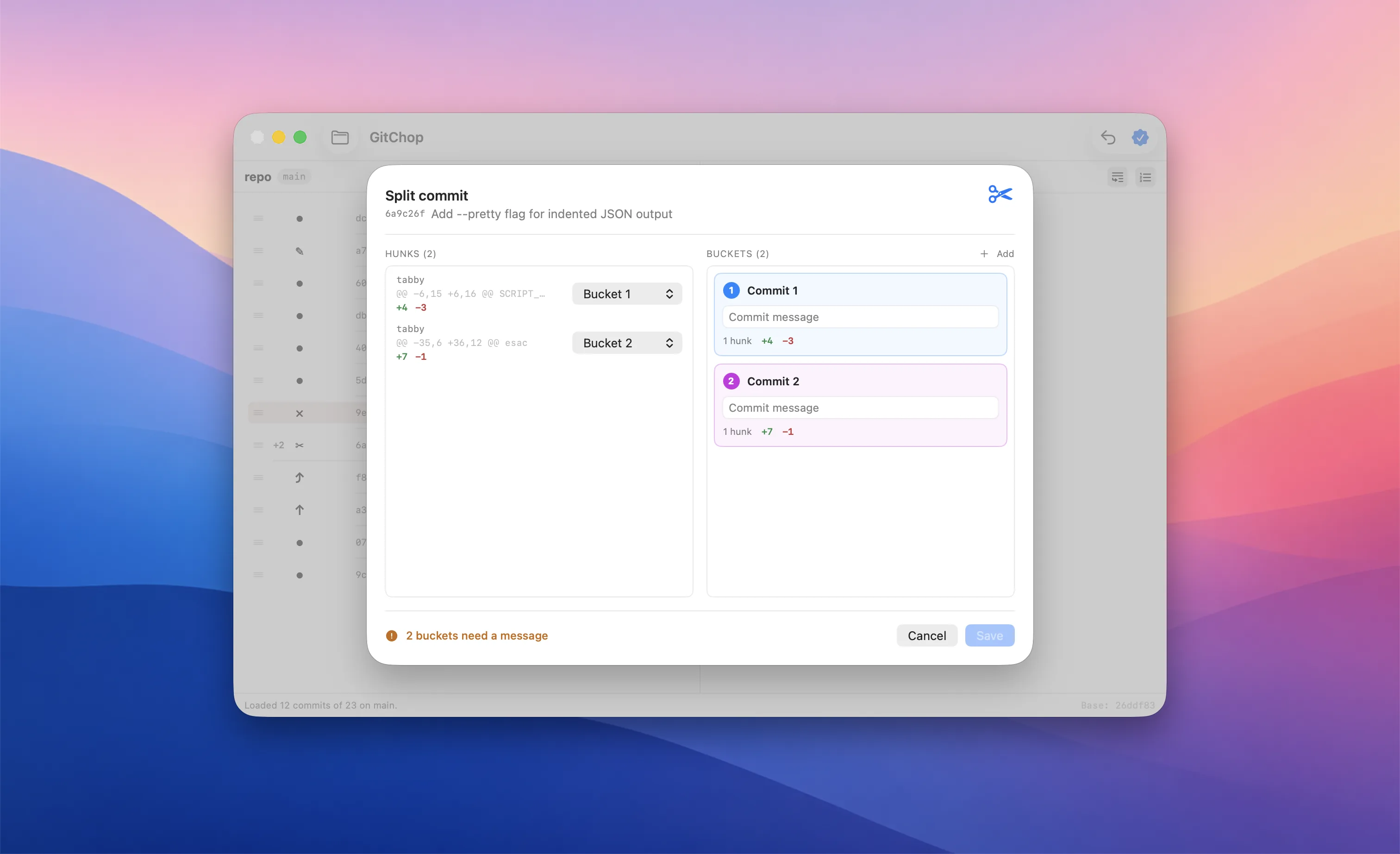
Split a commit
The killer feature. Mark a commit edit, drag its hunks into named buckets, hit Apply. Each bucket becomes its own commit. The terminal-only edit → --continue dance, done as a UI.
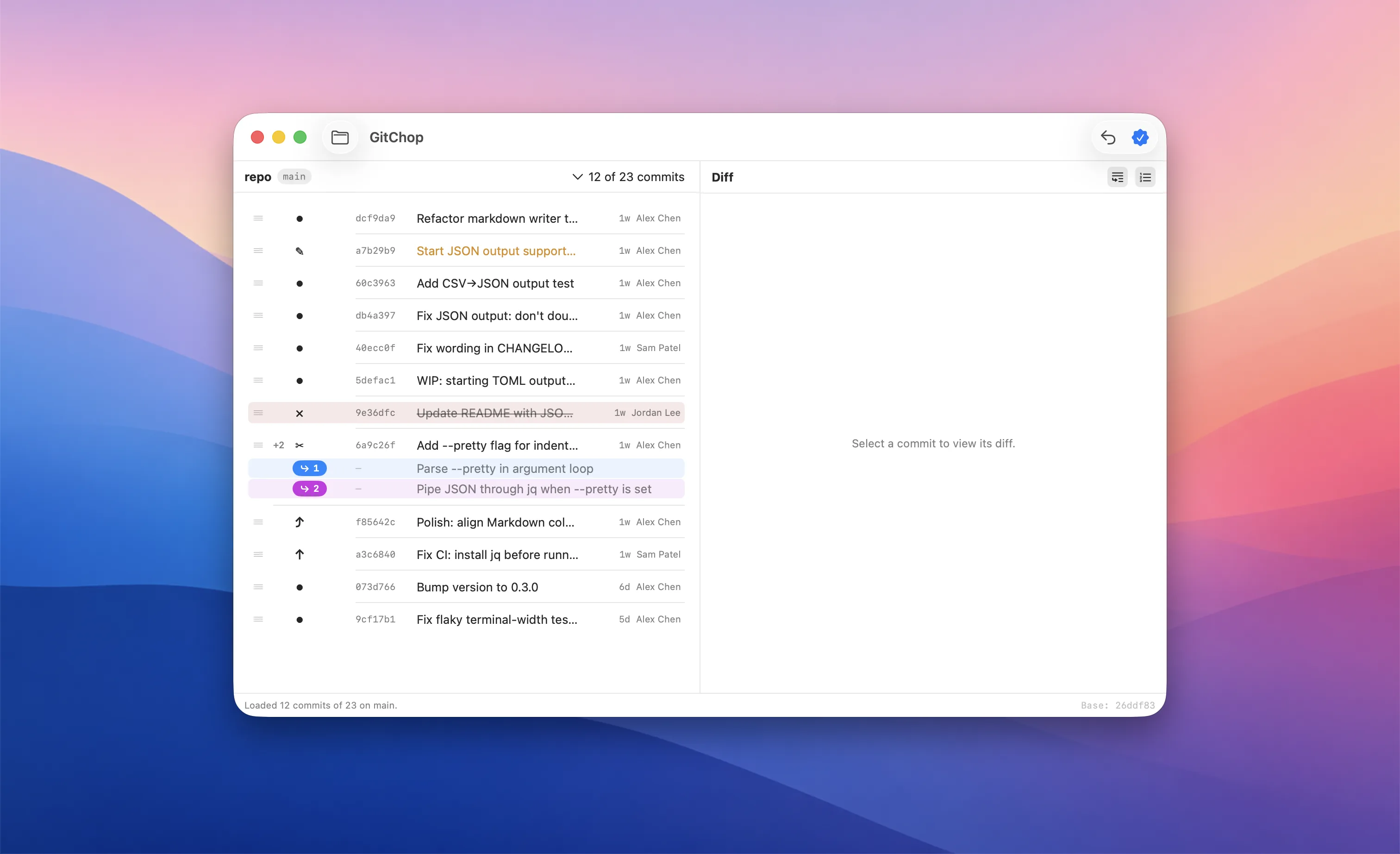
Drag to reorder
Pick up any commit, drop it where it should go. Squash and fixup attach to the row above and absorb count badges show how many follow-ups will fold in.
Reword in place
Click the verb chip and pick Reword. A modal opens with the full message preloaded — edit subject and body, save. Applied during rebase via $GIT_EDITOR wiring; no editor pop-ups.
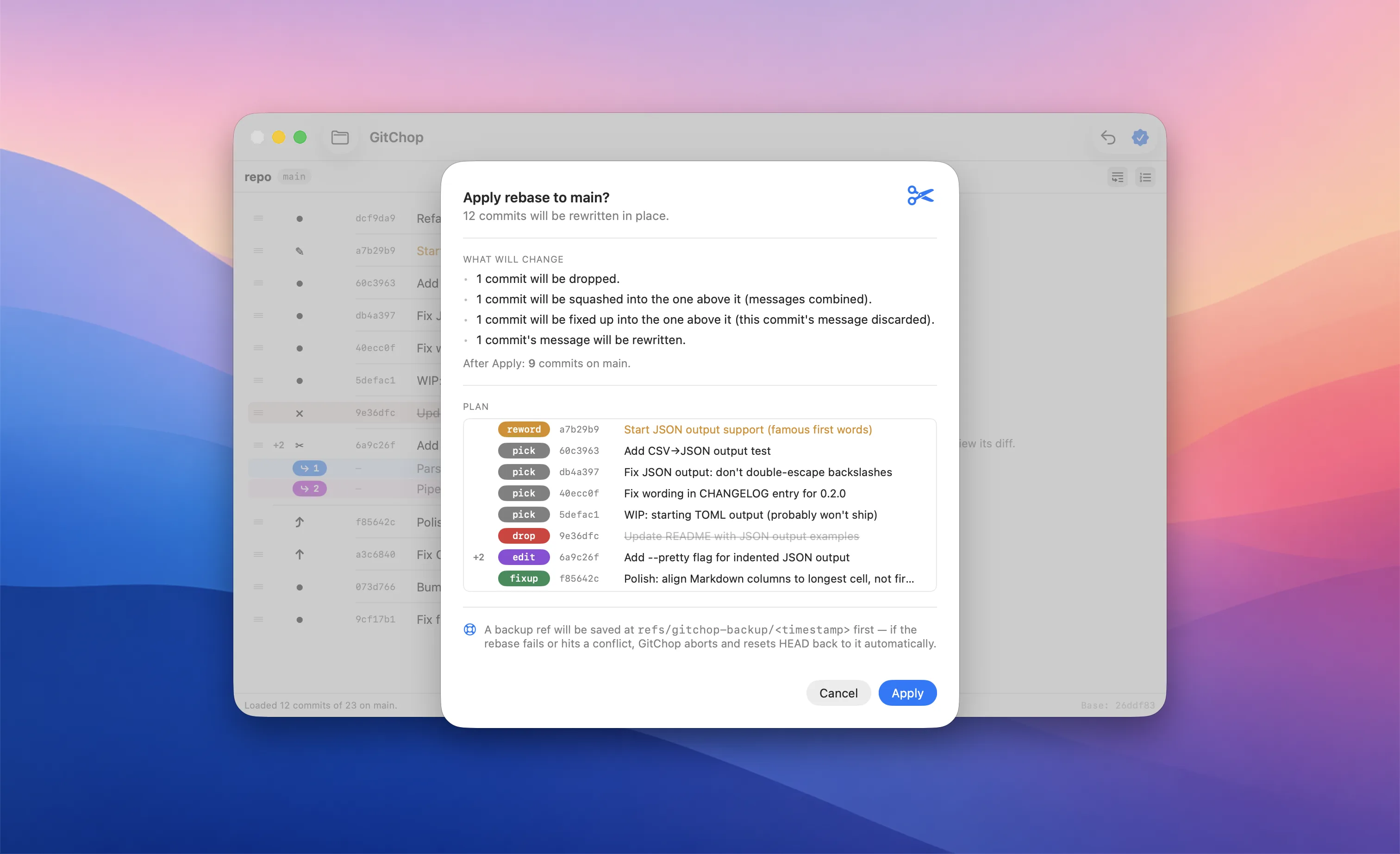
- The verbs you know.
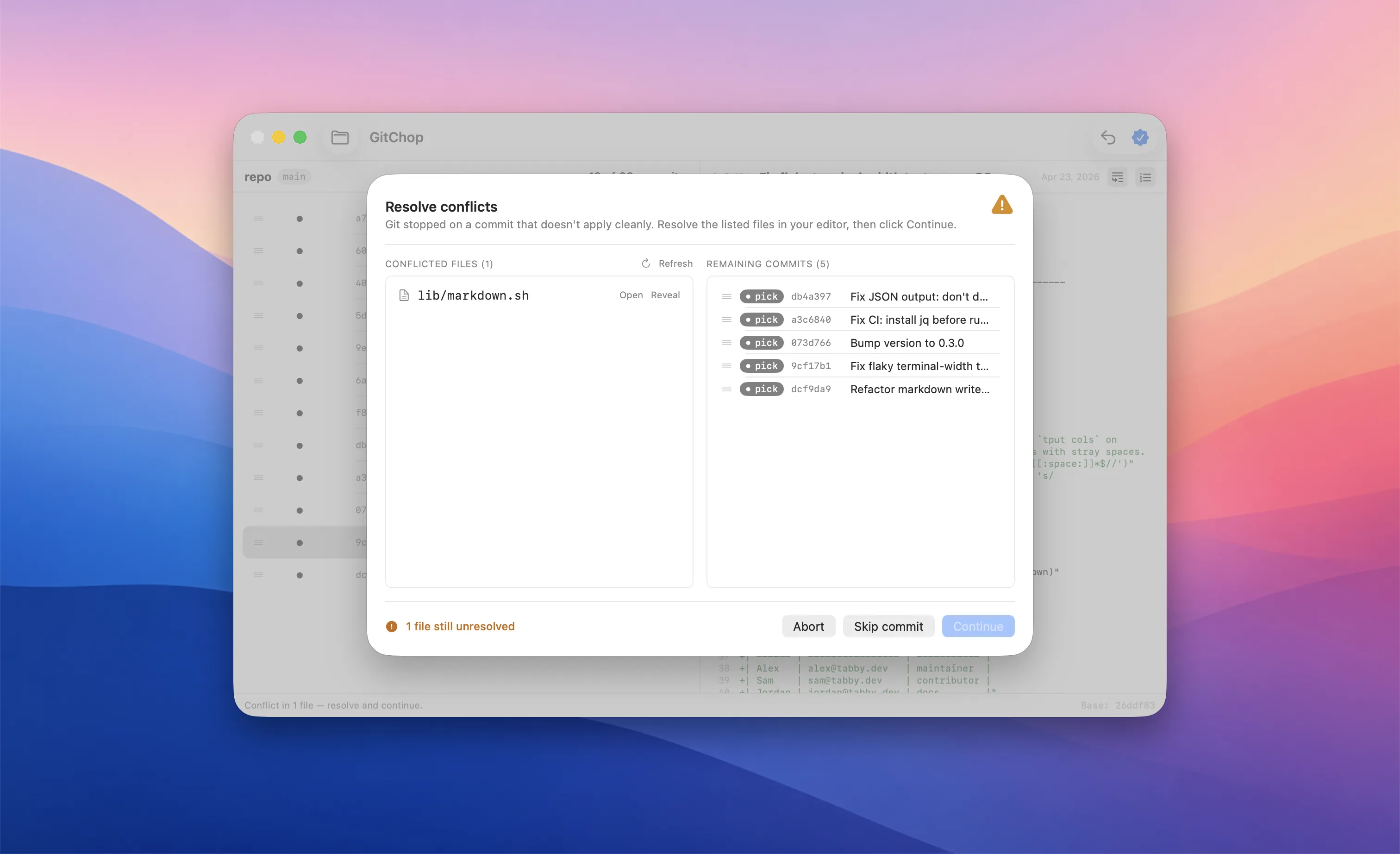
pick,edit,squash,fixup,drop,reword— all visible as colored chips in the commit list. Click to change, drag to reorder. - Conflict pause that doesn't kick you out. When git stops on a conflict, GitChop stays open with a list of unmerged files. Open each in your editor, resolve, click Continue. Or Skip the commit, or Abort the whole rebase — all without leaving the app.
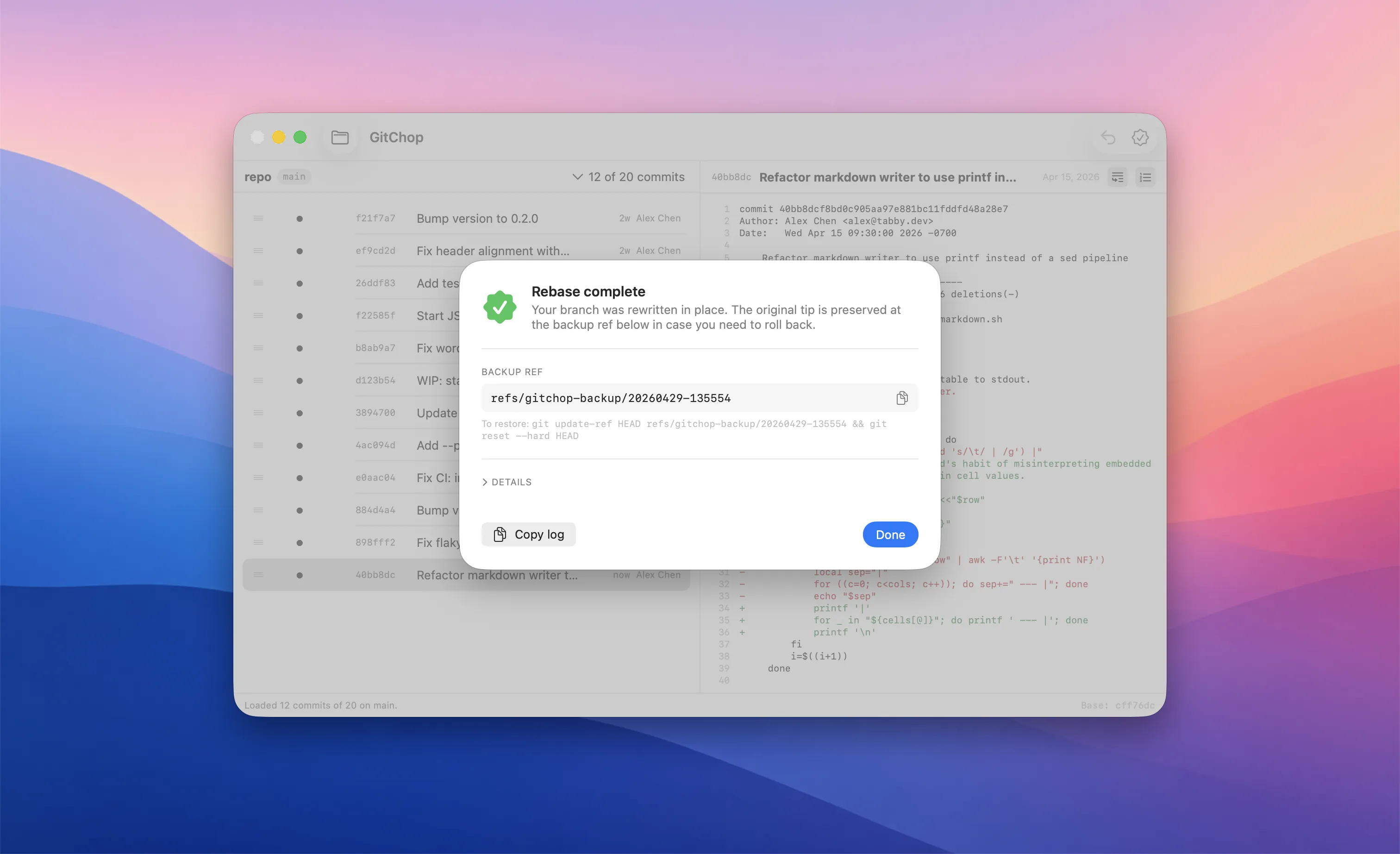
- Backup ref every Apply. Before rewriting any history, GitChop writes
refs/gitchop-backup/<timestamp>pointing at the pre-rebase HEAD. Failed rebase rolls back automatically; manual recovery is onegit update-refaway. - Custom rebase base. Right-click any commit → Use as base. Everything newer becomes the editable plan; the chosen commit is the foundation. Equivalent to
git rebase -i <sha>from the terminal. - Mid-rebase reorder. Paused on a conflict? The remaining commits still in the queue show up alongside — drag to reorder before clicking Continue, and git picks up the new sequence.
- Real diff pane. Click any commit to see its full diff with structural color, word-wrap, and line numbers. Same shape as the diff git will see at apply time.
- Multi-repo tabs. Open several repos at once; each gets its own tab with persistent state. ⌘O to add, ⌘W to close.
- Sane defaults. Loads the last 12 commits by default; pick 25 / 50 / 100 / All from the count menu. Author and relative-age (
3d,2w) per row so you can find the right slice quickly. - Native, fast, no services. Pure Swift. Shells out to your installed
gitfor full upstream-fidelity behavior. Tiny binary, instant launch.
Screenshots
Get GitChop
Notarized, signed, and gatekeeper-friendly. No account, no telemetry.
Download — it’s freeSupport
Questions, bug reports, or feature requests? Email ben.dansby@gmail.com and you’ll get a reply, usually within a day or two.
For how-to documentation, see the GitChop documentation.