FocusText
Every text field, magnified.
Start typing in any app and a large, real editor opens beside the field. Press Return and your text lands back where it belongs.
FocusText is included in my Surprisingly Useful Bundle, along with over twenty other apps.
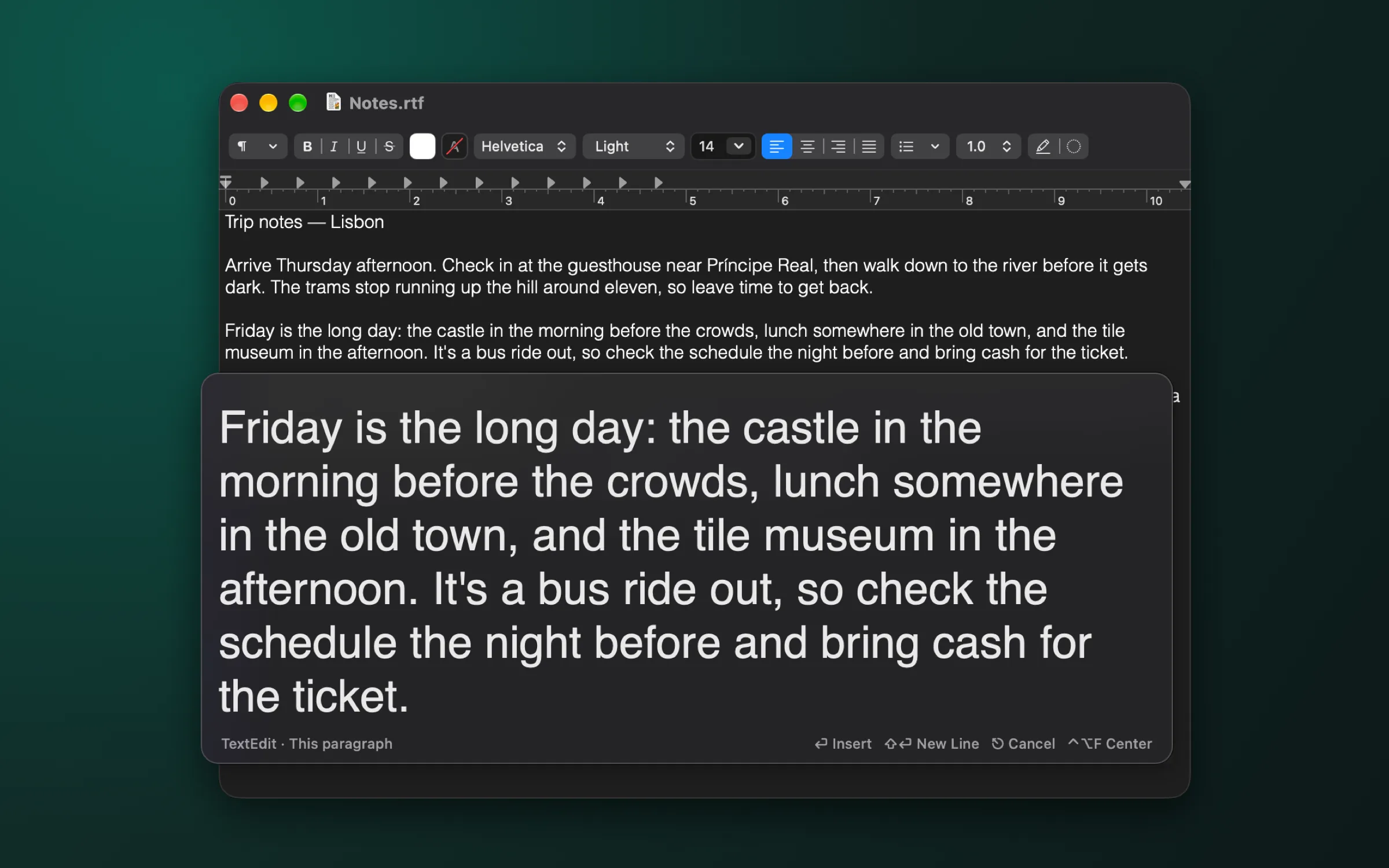
A real editor, not a zoom
The loupe is a proper text editor at a size you can read. Undo, spell check, selection, the arrow keys: it all works, and the app you were typing in stays in front.
Your text goes back
Press Return and only the part you changed is written back into the field. Formatting around it survives, and nothing gets typed twice.
Paragraph by paragraph
In a document editor like TextEdit, FocusText takes just the paragraph you’re in, so a long document is as easy to work on as a search field.
Center and focus
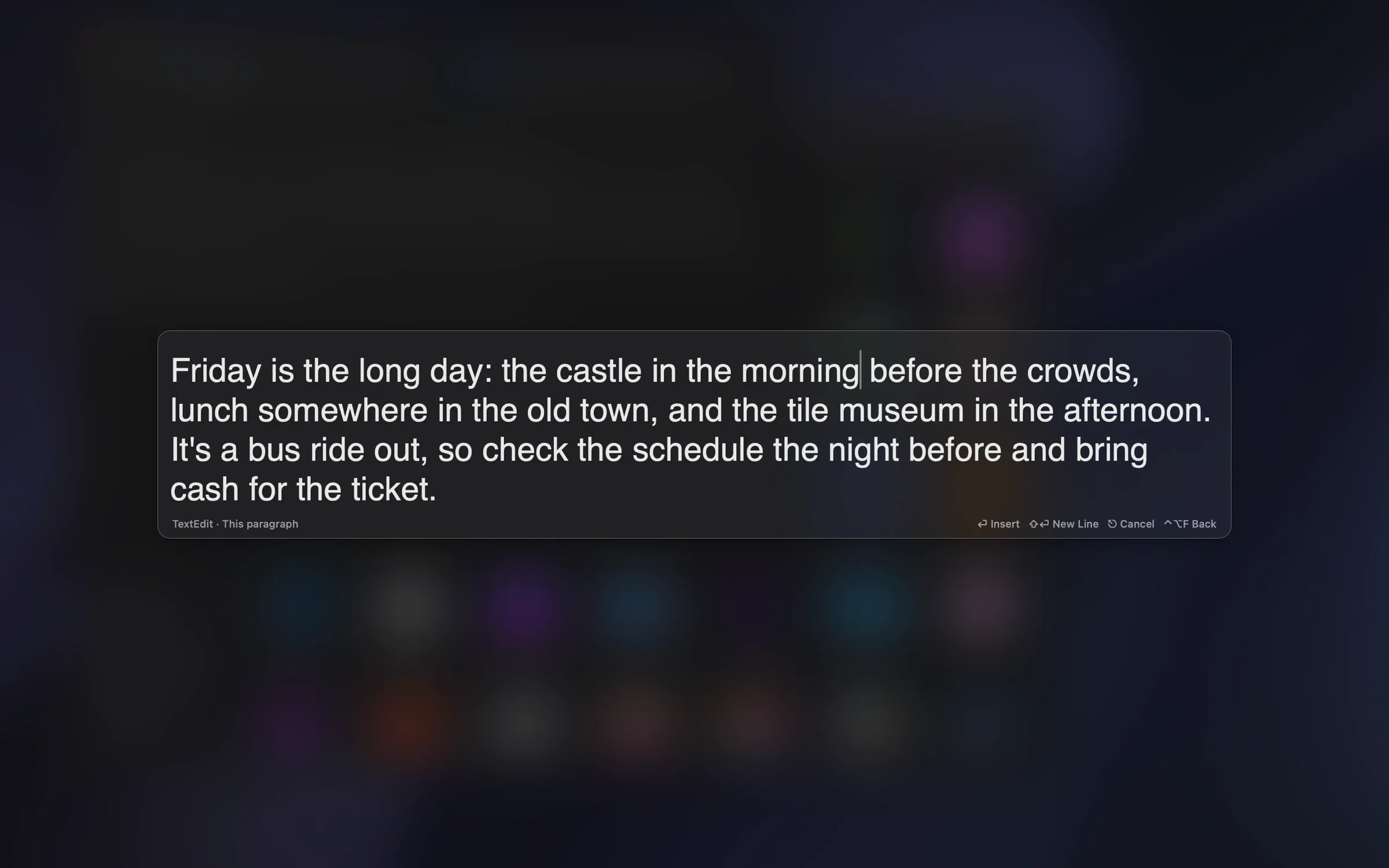
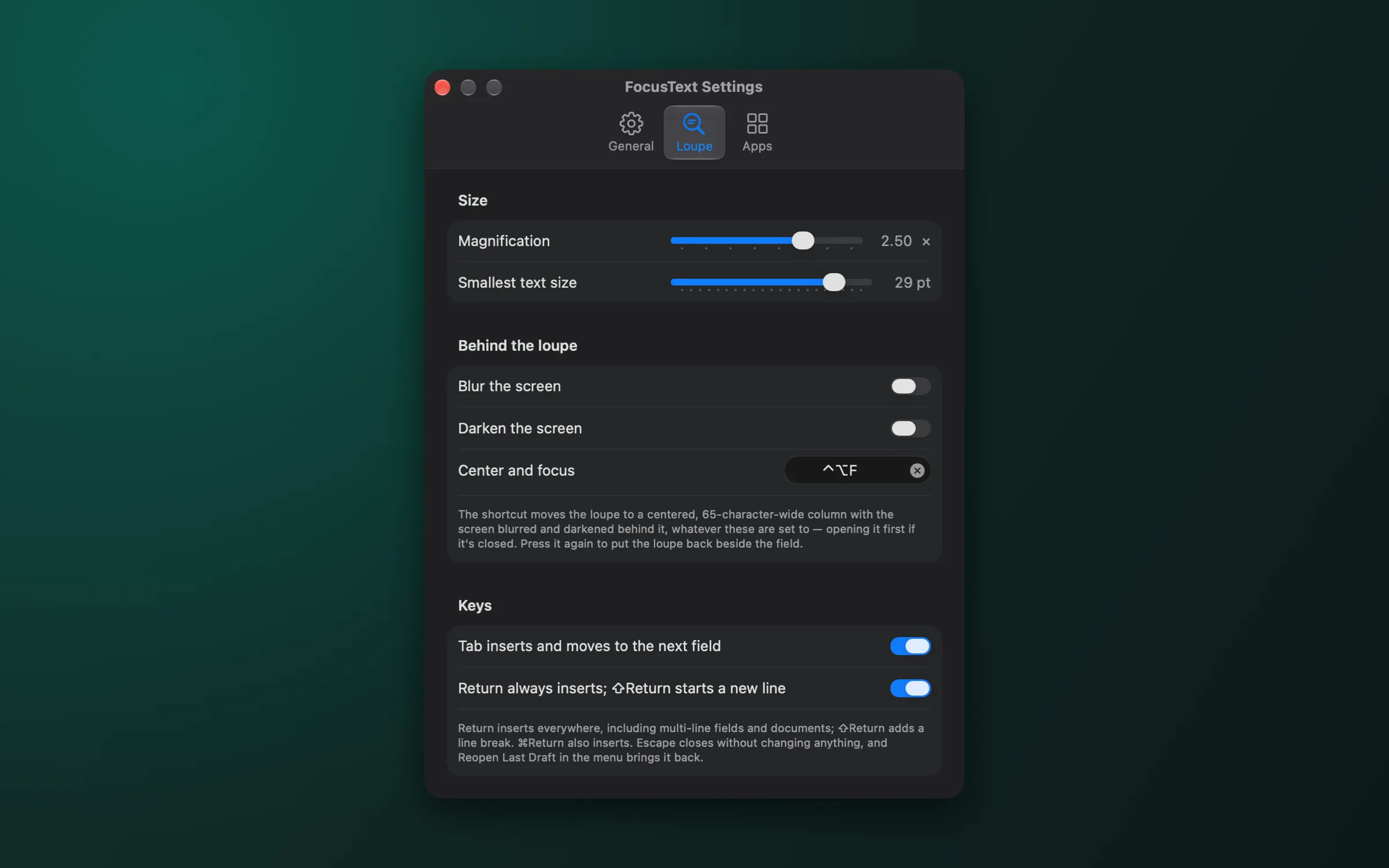
Press ⌃⌥F for a centered, 65-character column with the screen blurred and darkened behind it. Blur and darken can stay on all the time if you like.
Nothing gets lost
Escape closes without changing a thing, and Reopen Last Draft brings it back. Switch apps mid-sentence and your draft is waiting when you return.
Opens when you want
When you start typing, when a field gets focus, when you select text, or only with a shortcut. Terminals and code editors stay out of it with one click.
Screenshots
Get FocusText
Free to try as a direct download. A license removes the occasional reminder and supports the work. Requires macOS 14 or later, and Accessibility access so it can read and fill in text fields. Buying more than one app? FocusText is included in my Surprisingly Useful Bundle.
Support
Questions or bug reports? Email ben.dansby@gmail.com and you’ll get a reply, usually within a day or two.
For privacy questions, see the privacy policy.